How to Insert Header and Footer in Your Document
Header and Footer
Header is the top most part of any document while Footer is the bottom of any document. They work interchangeably in the sense that the same way you add a Header is the same way you add Footer.
To add Header and Footer, follow the steps below:
- Click the Insert Tab on the Ribbon and select either Header or Footer
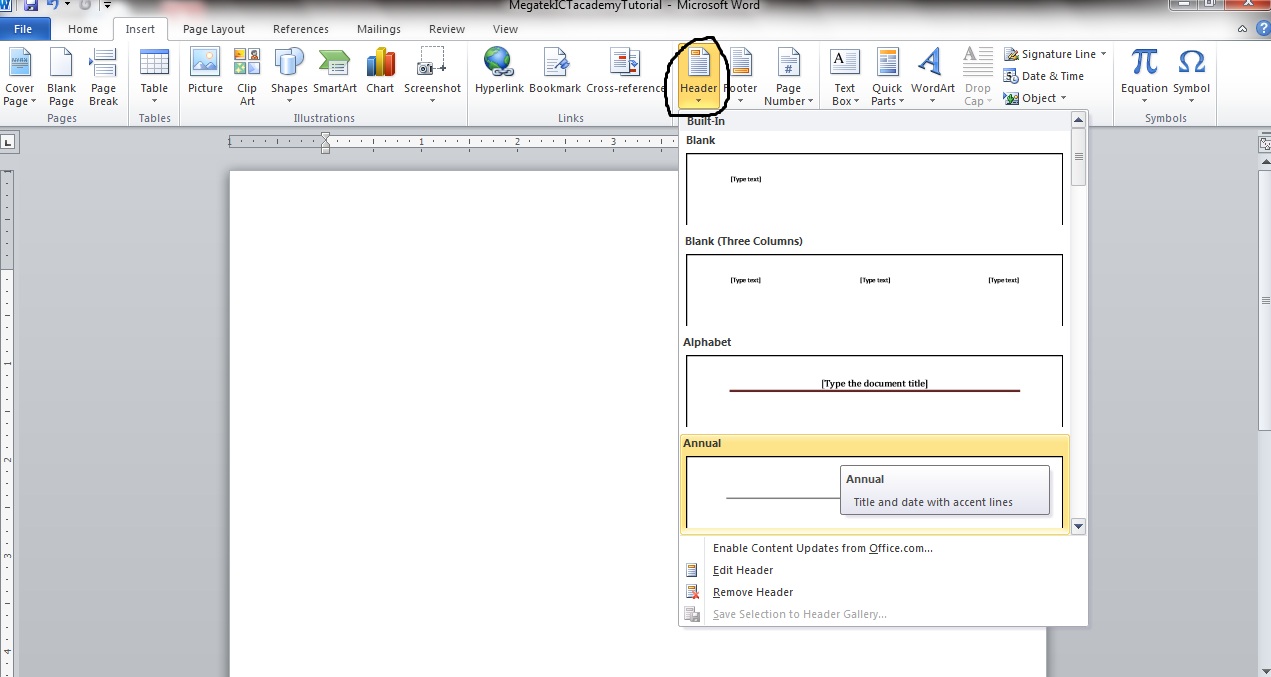
NOTE: You can pick from numerous in built Headers. And once you pick any the footer page automatically comes active as shown in the image below
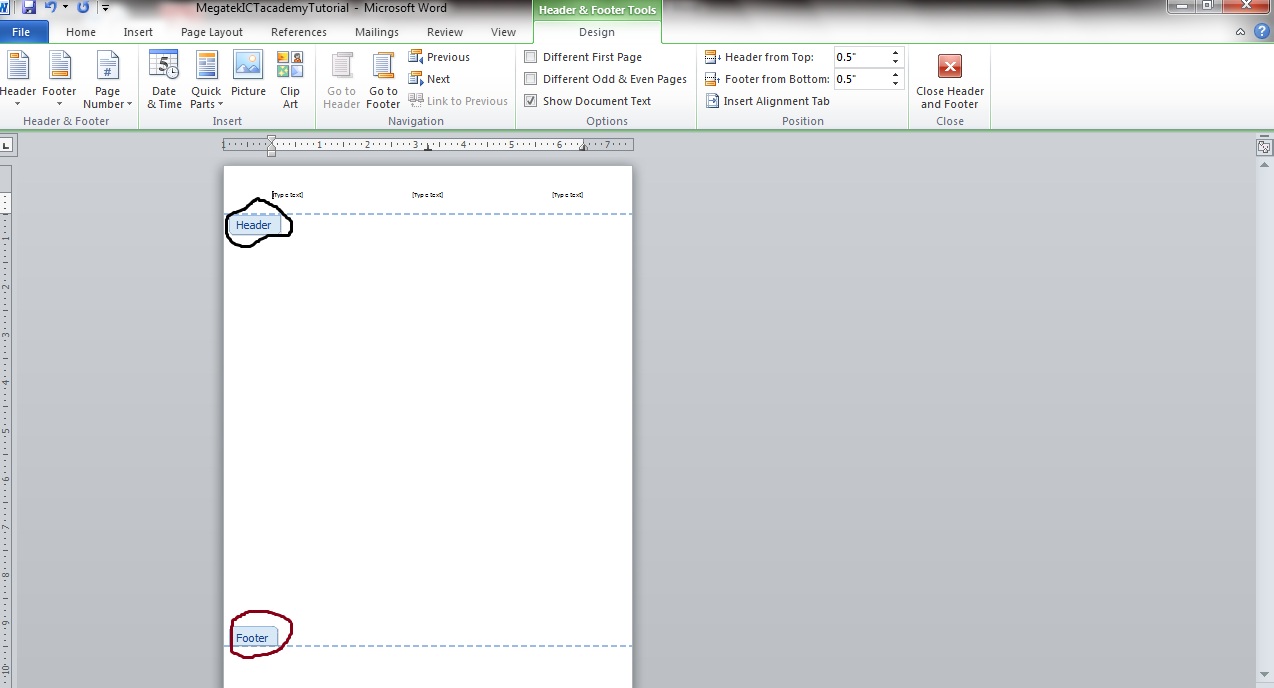
The black circle depicts the Header while the Brown circle depicts the Footer.
The same Method is applicable in choosing Footer.
Page Number
Page Number is simply giving your page a number; by default MS Word gives us page numbers as shown below

Nonetheless you can add numbers to your page in any format you want. Follow the steps below to add numbers to your page.
- Click on the Insert Tab on your Ribbon and select Page Number
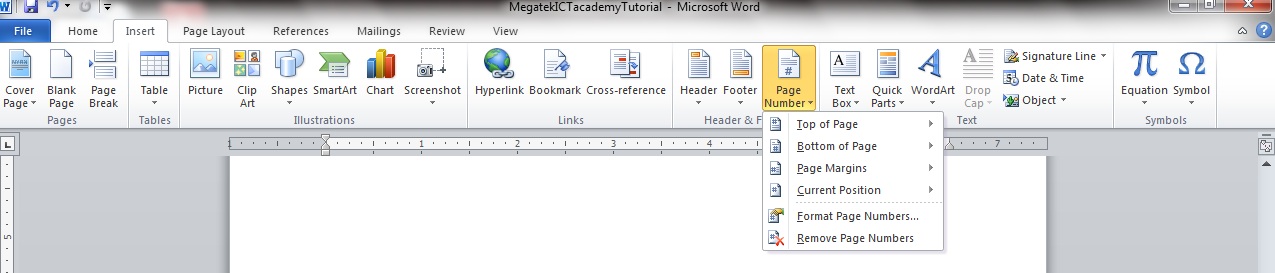
NOTE: The page number has options in the sense that it asks for the Position to where it should number the Page, we have Top of Page (Numbers the page at the Top), Bottom of Page (Numbers the page at the Bottom), Page Margins (Numbers the Page at the Margin) and Current Position (Numbers the page at the position the cursor is). It is ideal to pick either of Top or Bottom of Page.
- Pick any position you want the page numbered (we are picking Bottom), once you click on Bottom of Page you can select from ranges of in built type.
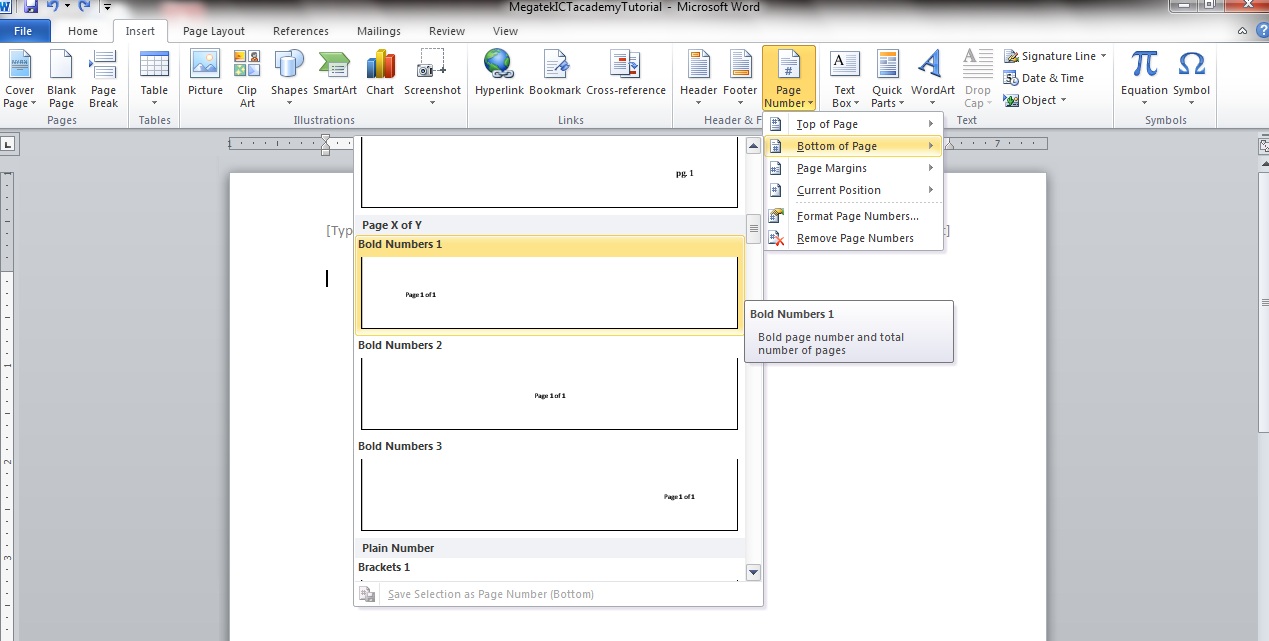
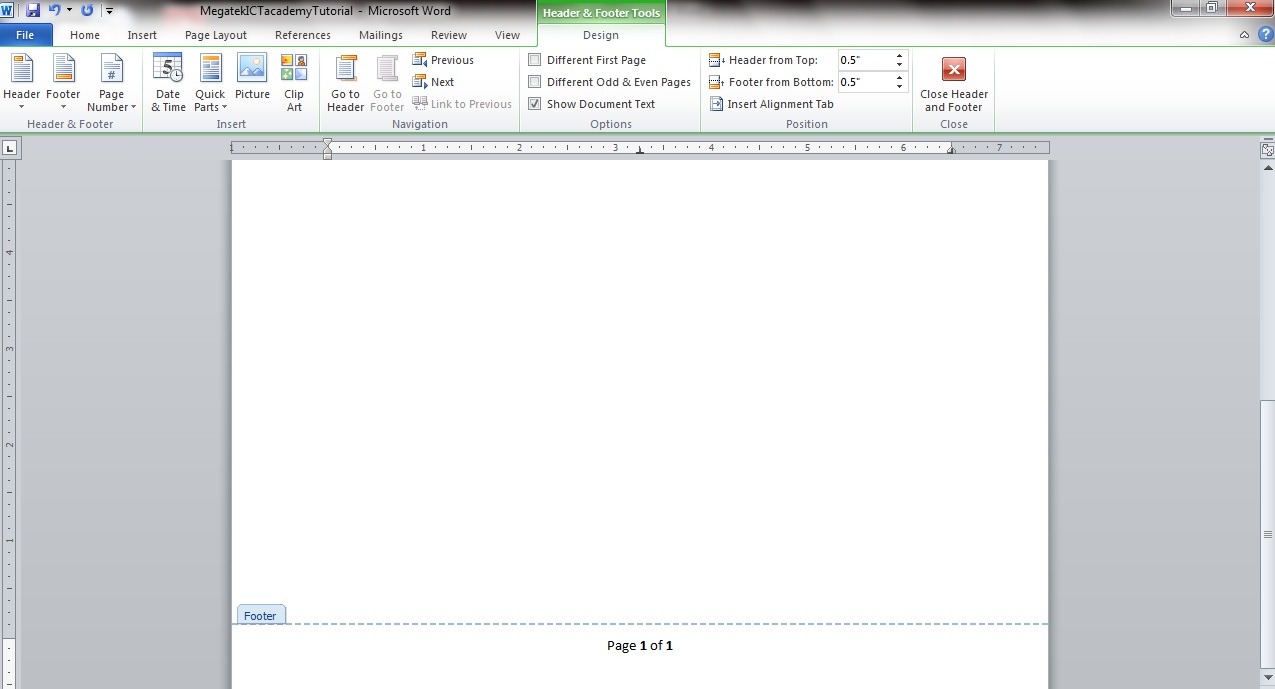
Now that is how we add our page Number.
MORE TUTORIALS ON LATEST TECHNLOGIES