
MS PowerPoint
08033146625, 08092566265 Email: training@ictacademy.com.ng Log in Register IT Jobs Tutorials Gallery Resources About Us Corporate Training
Inserting a Page Break
Page Break works exactly like blank page but the only difference in both of them is that Page Break insert a new page where the cursor is and not at the end of the document as shown in the steps below:
o Type out some words give it numbering to see the effect of Page Break

Fig 1
o Put the cursor at any of the number and go to insert and click on page break
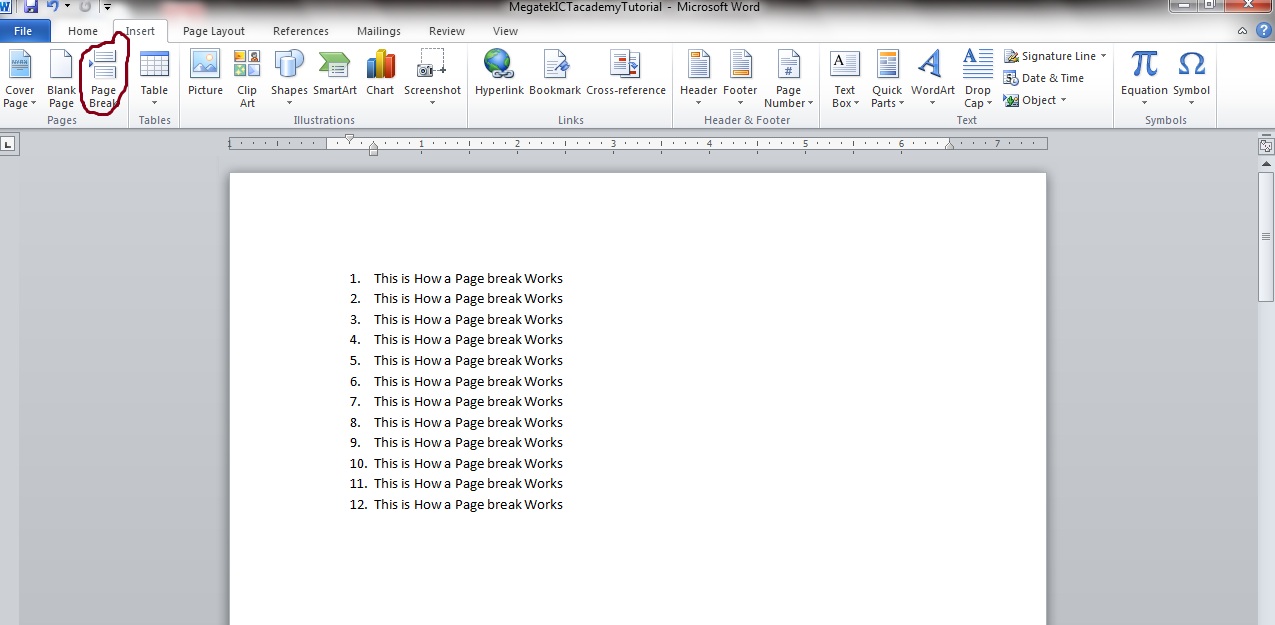
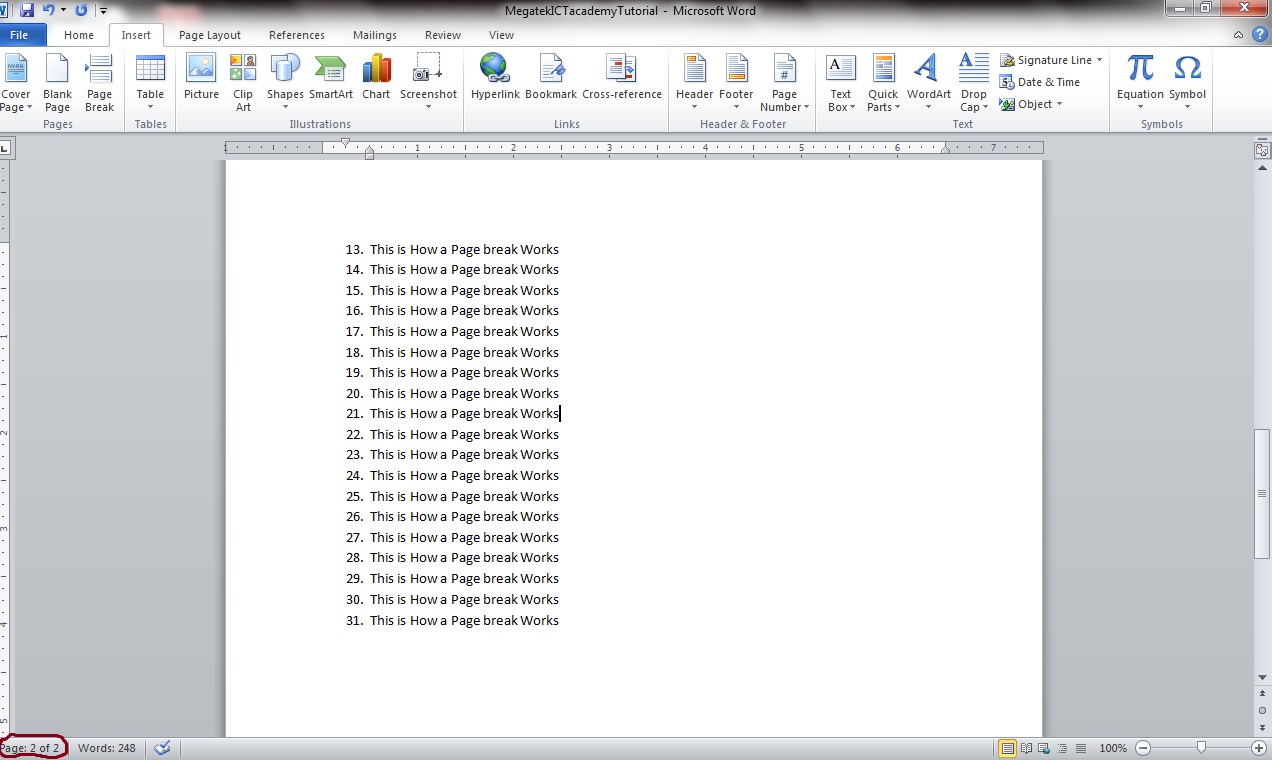 Fig 2
You can notice that after inserting the page breaks it automatically breaks the page where I placed my cursor and at the bottom left corner you can visibly see page2 of 2 in fig2 different from the page 1 of 1 in fig1.


