When it comes to data visualization and business intelligence tools, Power BI and Tableau are often at the top of the list. But how do you decide which one is best for your needs? Let’s break down the key differences:
🔹 Ease of Use
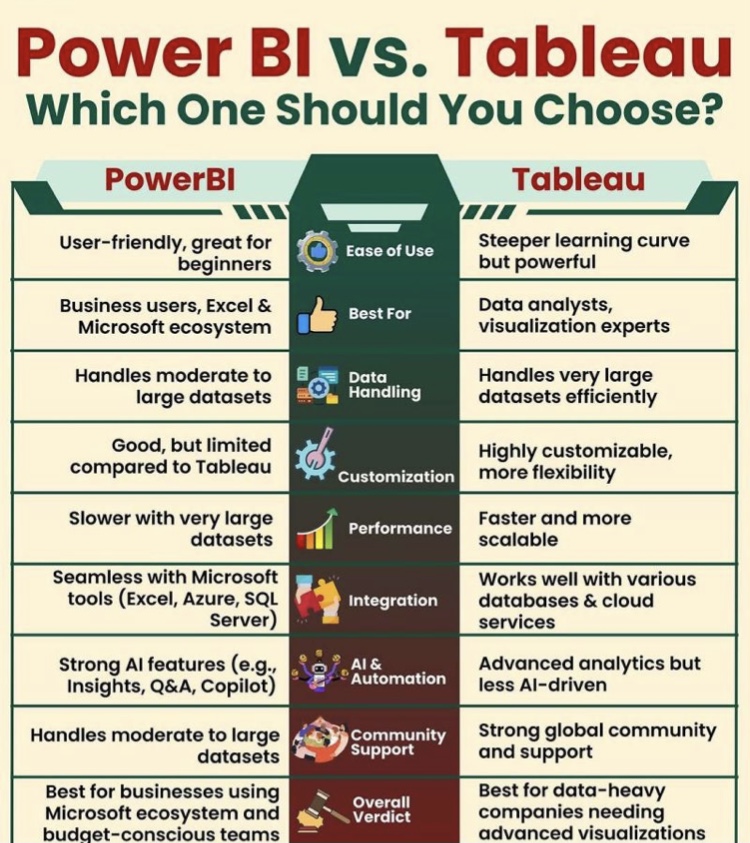
Power BI: Known for its user-friendly interface, especially for those familiar with Microsoft products like Excel. It’s a great choice for beginners and those looking for quick insights.
Tableau offers a bit of a steeper learning curve but provides more advanced visualizations and customization options for experienced users. It’s perfect for complex data needs.
🔹 Cost
Power BI: More budget-friendly, especially for smaller organizations or individual users. It’s often included with Office 365 subscriptions, making it cost-effective.
Tableau: Has a higher cost, particularly for the full suite of features. However, the investment may be worth it for organizations that need more advanced analytics and visualizations.
🔹 Data Handling and Performance
Power BI: Great for smaller to medium-sized data sets. However, it may struggle with large datasets unless optimized properly.
Tableau: Known for handling massive datasets efficiently, which makes it a go-to choice for enterprise-level solutions.
🔹 Integration and Customization
Power BI seamlessly integrates with Microsoft tools (Excel, SharePoint, Azure) and other third-party services. Customization options are more limited compared to Tableau.
Tableau offers more flexibility and customization options in terms of how data is visualized and interacted with. It integrates with a wide range of data sources but might need extra configuration.
🔹 Visualizations
Power BI offers a variety of standard visualization options, making it suitable for general reporting and dashboards.
Tableau: Excels in advanced, interactive, and complex visualizations. It’s ideal for users who want to create compelling data stories.
🔹 Community and Support
Power BI: As part of Microsoft, it has extensive resources, documentation, and a vibrant user community.
Tableau also has a strong user base and offers excellent customer support, along with a comprehensive knowledge base and forums.
Which one should you choose?
If you’re looking for an easy-to-use, cost-effective solution that integrates well with Microsoft tools, Power BI is a great choice.
If you need advanced visualizations, enterprise-level capabilities, and the ability to handle large, complex datasets, Tableau might be the way to go.
At the end of the day, it’s about finding the tool that best suits your specific business needs and the complexity of your data.
know!
#DataAnalytics #BusinessIntelligence #Tableau #PowerBI #DataVisualization