
Microsoft Access is a database management program that allows anyone to easily create, edit, and maintain a database of information. Access, which is a part of Microsoft Office (now Microsoft 365), is suitable for anything from small projects to large business processes, and is a very visual program.
Creating a Database
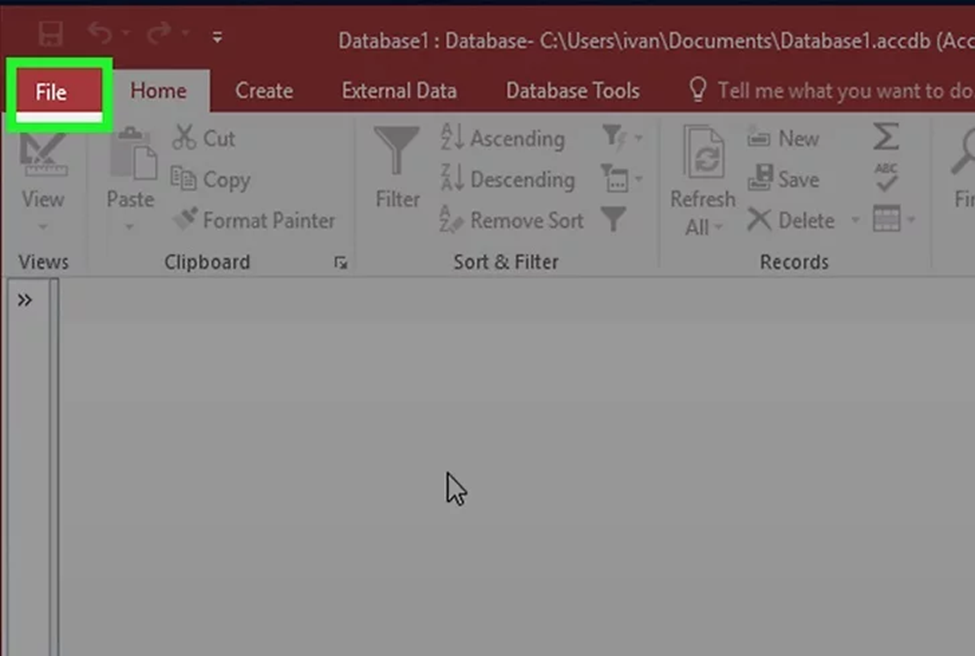
- Click the File tab and Select New. The database is what will contain all of your data in its various forms. You can choose to create a blank database from scratch, or choose from a variety of templates.
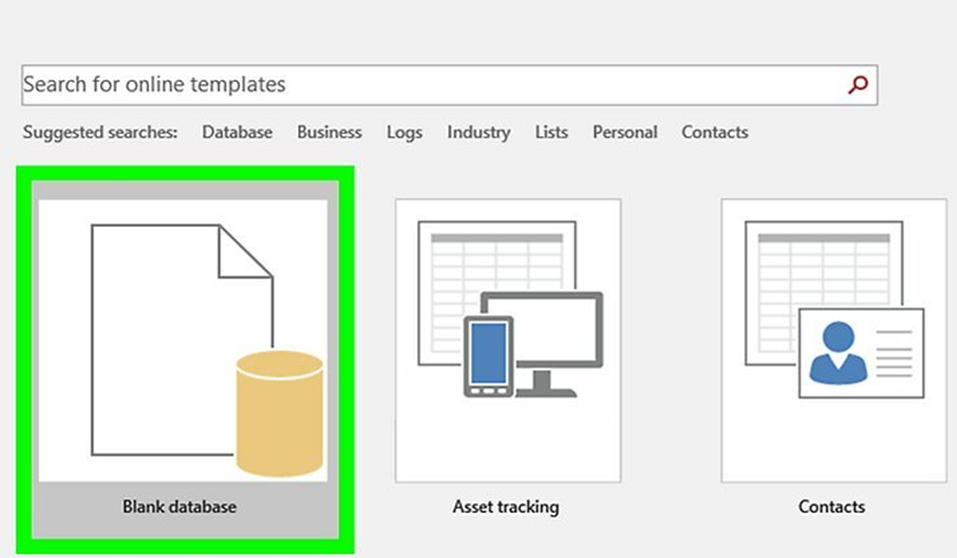
2. Select a template or choose Blank database. A blank database is a standard Access database and is good for local use. Creating a blank database will create one table as well. You can click any of the templates to see a preview and learn more about its capabilities.
- Templates are pre-built database structures designed for a wide range of uses, such as task management, inventories, student data, and project management
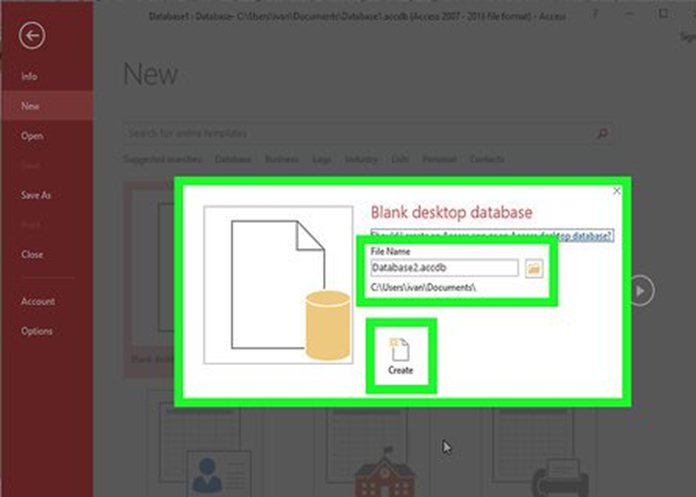
3. Name your database and click Create. You can also change your file’s save location at this time, or stick with the default folder created for Microsoft Access.
- Depending on which template you selected (if applicable), you may be prompted to create a login for your database. You can add a secure login to any database upon creation.
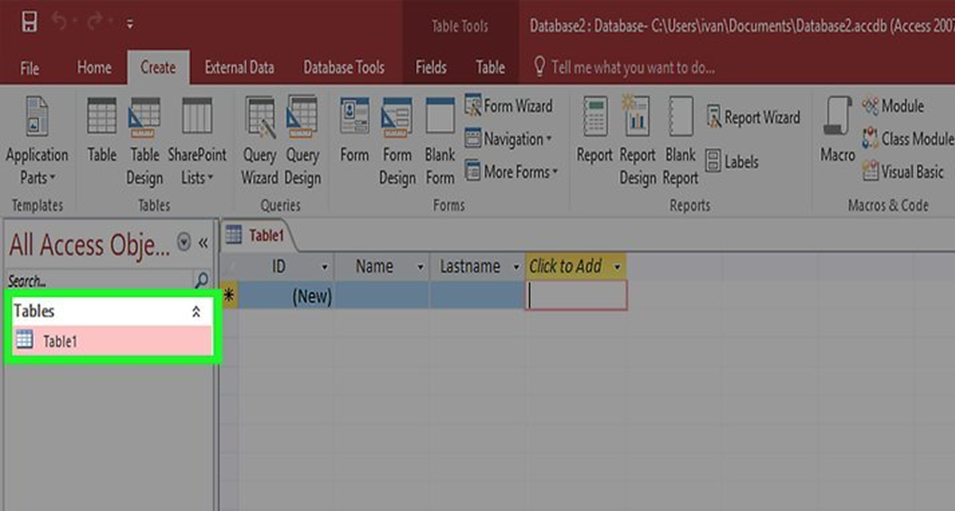
4. Understanding Access files. An Access database is a file that stores all of your database information. Within the database, you can store and work with data in various ways.
Queries: Queries are used to retrieve and filter your data. You can use queries to display specific entries from multiple tables. You can also use queries to create and update data
Tables: This is the main way that data is stored in your database. Tables can be compared to spreadsheets in Excel: the data is organized in rows and columns. Because of this, importing data from Excel and other spreadsheet programs is a relatively straightforward process.
Forms: You can create and use forms to add, view, and edit any data in a table.
Reports: These summarize and display the data in your database. Reports are for analyzing data and returning answers to specific questions, such as how much profit was made, or where customers are located. These are usually designed to be printed or shared with others.