

SQL is the universal language for working with structured data. Once your database is installed and ready, the next important step is learning how to query it effectively. SQL queries help you retrieve meaningful information, analyze patterns, and manage data efficiently.
This article gives you a deep, beginner-friendly understanding of essential SQL querying concepts: the SELECT statement, filtering, sorting, grouping, and joining tables.
Understanding the SELECT Statement
The SELECT statement is the foundation of SQL. It tells the database what information you want to retrieve.
Example:
SELECT Name, Age, Email
FROM Customers;
The database returns a dataset with the selected columns.
SELECT Variations
SELECT *retrieves all columnsSELECT DISTINCTremoves duplicatesSELECT TOP (10)limits results
SELECT is the starting point for every analytic or operational query in SQL.
Filtering Data Using WHERE
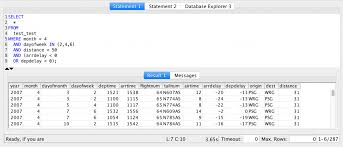
The WHERE clause filters your data based on conditions such as:
- Numbers
- Dates
- Text
- Comparisons
- Ranges
- Patterns
Example:
SELECT *
FROM Orders
WHERE Amount > 500;
Common Operators
=equal to<, >, <=, >=LIKEpattern matchingBETWEENrangesINmultiple valuesAND,ORcombine conditions
Filtering is essential for narrowing down large datasets to specific insights.
Sorting Data Using ORDER BY
ORDER BY arranges your results in a meaningful order.
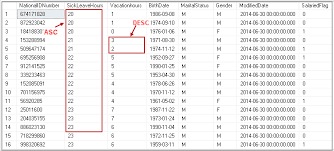
Example:
SELECT Name, Salary
FROM Employees
ORDER BY Salary DESC;
ORDER BY works with:
- Numbers
- Text
- Dates
- Calculated fields
You can sort results in:
- ASC (ascending)
- DESC (descending)
Sorting helps you organize information before performing deeper analysis.
Grouping Data Using GROUP BY
GROUP BY allows you to summarize or aggregate data across categories using functions like:
COUNT()SUM()AVG()MIN()MAX()
Example:
SELECT Category, SUM(Sales) AS TotalSales
FROM Orders
GROUP BY Category;
This turns raw records into summarized insights.
GROUP BY is commonly used in:
- Sales analytics
- Customer segmentation
- Inventory summaries
- Reporting dashboards
Using HAVING With GROUP BY
The HAVING clause filters groups after they have been aggregated — unlike WHERE, which filters individual rows.
Example:
SELECT Category, SUM(Sales) AS TotalSales
FROM Orders
GROUP BY Category
HAVING SUM(Sales) > 5000;
You use HAVING when filtering based on:
- Sums
- Averages
- Counts
- Any aggregated value
It is essential for analytical queries involving summaries and totals.
Understanding SQL Joins

Joins combine data from multiple related tables. They are one of the most powerful capabilities of SQL.
Types of Joins
- INNER JOIN — matching records in both tables
- LEFT JOIN — all records from left table + matches from right
- RIGHT JOIN — all records from right + matches from left
- FULL OUTER JOIN — all records from both tables
- CROSS JOIN — combinations
Example:
SELECT Orders.OrderID, Customers.Name
FROM Orders
INNER JOIN Customers
ON Orders.CustomerID = Customers.CustomerID;
Joins allow you to build relationships across complex datasets.
Putting It All Together — A Real-World Query
Here is a combined example that uses SELECT, WHERE, GROUP BY, HAVING, and ORDER BY:
SELECT CustomerID, SUM(Amount) AS TotalSpent
FROM Orders
WHERE OrderDate >= '2024-01-01'
GROUP BY CustomerID
HAVING SUM(Amount) > 1000
ORDER BY TotalSpent DESC;
This query finds high-value customers and ranks them.
Conclusion
Mastering SQL queries is the key to unlocking the full power of relational databases. SELECT, WHERE, GROUP BY, ORDER BY, and JOIN form the essential foundation for all SQL work — whether you’re analyzing data, building dashboards, or powering applications.
Once you understand how these commands work together, you can extract insights from any dataset efficiently and confidently.