
Data cleaning is one of the most critical steps in the data science workflow. Before analysis, modeling, visualization, or reporting can happen, the dataset must be accurate, consistent, and reliable. In fact, many professionals agree that data cleaning consumes up to 70–80% of a data scientist’s time.
This article explains what data cleaning is, why it is essential, common data issues, and practical techniques for cleaning data effectively.
What Is Data Cleaning?
Data cleaning (also called data cleansing) is the process of identifying and correcting errors, inconsistencies, and inaccuracies in datasets. The goal is to prepare raw data for analysis so that results are meaningful and trustworthy.
Raw data often contains:
- Missing values
- Duplicate records
- Incorrect formats
- Inconsistent entries
- Outliers
- Typographical errors
Without proper cleaning, even the most advanced models will produce unreliable results.
Why Data Cleaning Is Important
Poor data quality leads to:
- Incorrect analysis
- Misleading dashboards
- Faulty predictions
- Poor business decisions
For example:
- Duplicate customer records may inflate revenue calculations.
- Incorrect date formats can break time-based analysis.
- Missing values can distort averages and trends.
Clean data ensures:
- Accuracy
- Reliability
- Better performance of machine learning models
- Trust in business reporting
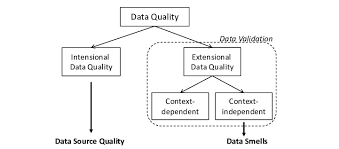
Common Data Cleaning Problems
1. Missing Values
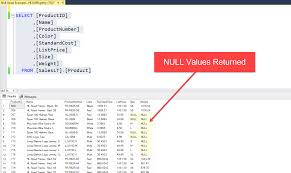
Missing data can occur due to:
- System errors
- Manual entry mistakes
- Incomplete forms
Example:
| Name | Age |
|---|---|
| John | 25 |
| Mary | NULL |
2. Duplicate Records
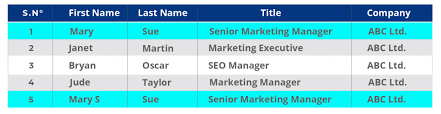
Duplicates may occur during data merges or repeated entries. These inflate counts and distort analytics.
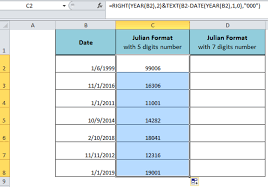
3. Inconsistent Formatting
Examples:
- “USA”, “U.S.A”, “United States”
- Dates in different formats (DD/MM/YYYY vs MM/DD/YYYY)
These inconsistencies prevent accurate grouping and filtering.
4. Outliers
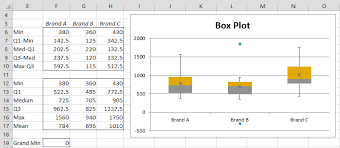
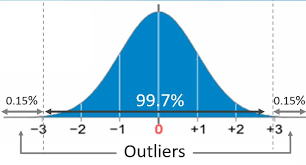
Outliers are extremely high or low values that may distort analysis.
For example:
If most product prices range between $10–$50, and one entry is $10,000, it must be investigated.
Techniques for Cleaning Data
1. Handling Missing Values
Options include:
- Removing rows with missing values
- Replacing with mean, median, or mode
- Using predictive models to estimate values
Example in Python:
df.fillna(df.mean(), inplace=True)
In Power BI:
- Use Power Query → Replace Values
- Remove rows with nulls
2. Removing Duplicates
In SQL:
SELECT DISTINCT *
FROM Customers;
In Excel:
- Data → Remove Duplicates
In Power BI:
- Power Query → Remove Rows → Remove Duplicates
3. Standardizing Formats
- Convert text to proper case
- Standardize date formats
- Ensure numeric consistency
In Power Query:
- Change Data Type
- Use Trim and Clean functions
4. Detecting and Handling Outliers
Methods include:
- Box plots
- Z-score analysis
- IQR method
Outliers should be:
- Investigated
- Corrected (if error)
- Removed (if irrelevant)
- Retained (if valid but rare)
Data Cleaning Tools
Common tools used for data cleaning:
- Excel
- SQL
- Python (Pandas)
- Power BI (Power Query)
- R
Each tool provides built-in functions for cleaning and transforming data.
Best Practices in Data Cleaning
- Always explore data before cleaning
- Document all cleaning steps
- Keep raw data unchanged
- Automate cleaning processes where possible
- Validate cleaned data before analysis
Good data cleaning is systematic, repeatable, and transparent.
Conclusion
Data cleaning is one of the most important and time-consuming parts of data science. Without it, analysis becomes unreliable and decisions become risky. By mastering data cleaning techniques and tools, professionals can ensure that their insights are accurate, trustworthy, and impactful.