
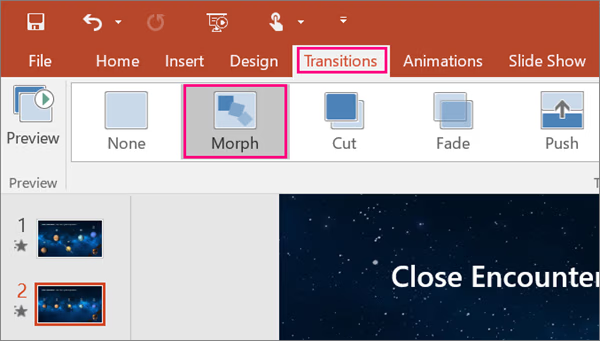
Most PowerPoint presentations use simple transitions like Fade or Wipe. While these work, they often make slides feel basic and repetitive.
The Morph transition is different.
Morph allows objects to move smoothly from one slide to another, creating the effect of advanced animation without requiring video editing software.
With Morph, you can make:
- Text slide across the screen
- Images zoom in automatically
- Charts animate between slides
- Diagrams appear to move naturally
This makes your presentation feel more modern and professional.
What is the Morph Transition?
Morph is a PowerPoint transition that automatically animates the movement of objects between two slides.
For Morph to work, both slides must contain the same object.
For example:
- Slide 1 contains a small image in the corner
- Slide 2 contains the same image enlarged in the center
- When Morph is applied, PowerPoint creates a smooth zoom effect automatically
Why Morph Is Better Than Manual Animation
Traditional animations often require:
- Multiple animation settings
- Careful timing
- Several clicks per object
Morph is faster because PowerPoint does most of the work automatically.
It is especially useful for:
- Business presentations
- Product showcases
- Educational slides
- Portfolio presentations
Best Ways to Use Morph
Morph works especially well for:
- Showing before-and-after comparisons
- Zooming into maps or diagrams
- Revealing steps in a process
- Animating timelines
A presentation with Morph often looks more like a professionally edited video.