
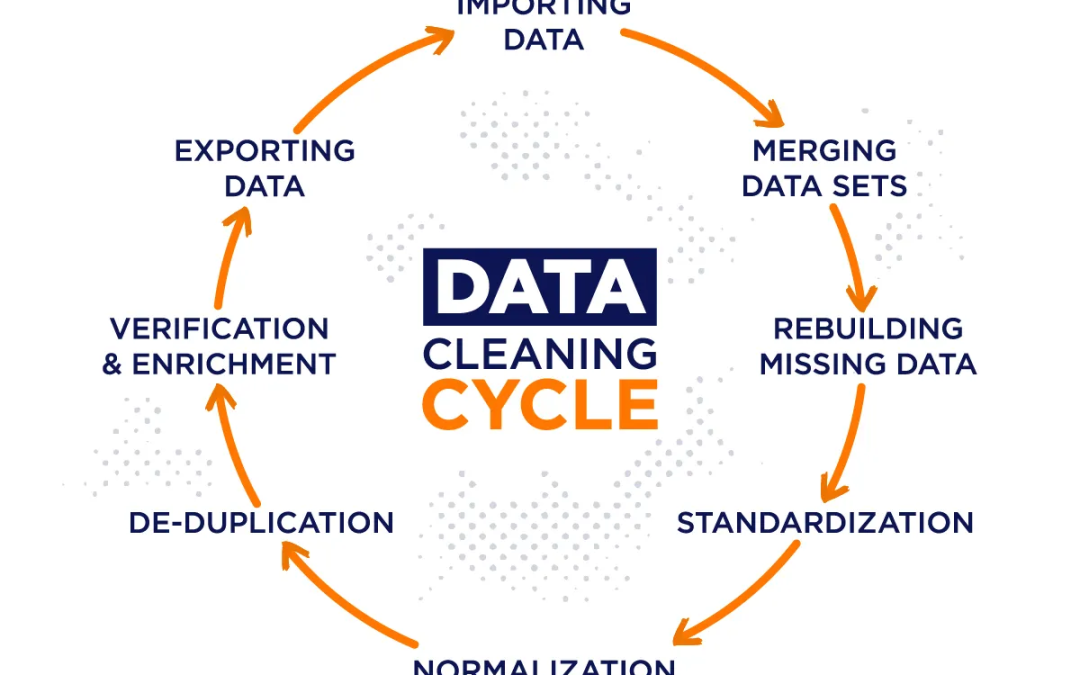
Data is often described as the new oil, but raw data is rarely useful in its original form. Before analysts can create reports, build dashboards, or develop machine learning models, the data must first be cleaned and prepared.
Unfortunately, data cleaning is one of the most time-consuming tasks in data analysis. Analysts frequently spend hours fixing errors, removing duplicates, handling missing values, and standardizing formats.
The good news is that Python can automate many of these tasks.
Instead of manually cleaning data every time a new dataset arrives, you can create reusable Python scripts that perform the cleaning process automatically. This saves time, improves consistency, and reduces the risk of human error.
In this article, you’ll learn how Python can automate data cleaning and transform messy datasets into reliable, analysis-ready information.
What is Data Cleaning?
Data cleaning is the process of identifying and correcting errors, inconsistencies, and inaccuracies in a dataset.
The goal is to improve data quality so that analysis results are accurate and trustworthy.
Common Data Problems
Most datasets contain issues such as:
- Missing values
- Duplicate records
- Incorrect data types
- Inconsistent formatting
- Invalid entries
- Outliers
- Spelling mistakes
If these problems are not addressed, they can lead to misleading conclusions.

Why Automate Data Cleaning?
Many organizations receive new datasets daily, weekly, or monthly.
Imagine a company that receives sales data every day.
An analyst may need to:
- Remove duplicates
- Fix date formats
- Handle missing values
- Standardize customer names
Performing these tasks manually every day is inefficient.
Automation solves this problem by allowing Python scripts to perform the cleaning process automatically.
Benefits of Automation
- Faster processing
- Consistent results
- Reduced human error
- Better scalability
- Improved productivity
Automation allows analysts to focus on generating insights rather than fixing data issues.
The Role of Pandas in Data Cleaning
One of Python’s most powerful libraries for data cleaning is pandas.
Pandas provides tools for:
- Reading datasets
- Inspecting data
- Cleaning records
- Transforming information
- Exporting results
Most data cleaning automation projects begin with pandas.
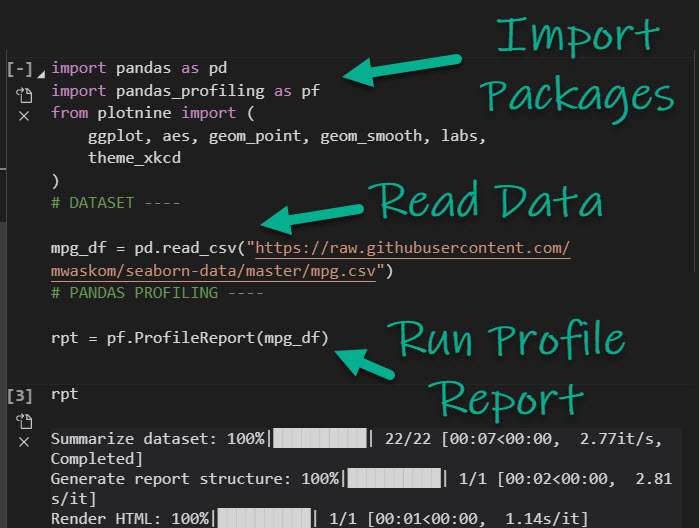
Importing Pandas
import pandas as pd
This library forms the foundation of most data cleaning workflows.
Loading Data into Python
Before cleaning can begin, the dataset must be loaded.
Example:
import pandas as pd

df = pd.read_csv("sales_data.csv")
What This Does
The script:
- Opens the CSV file
- Loads the data into a DataFrame
- Makes it available for analysis
Once loaded, the cleaning process can begin.
Inspecting the Dataset
Before making changes, it is important to understand the dataset.
Useful commands include:
df.head()
What It Is Used For
Displays the first few rows of data.
This helps identify obvious issues.
Another useful command is:
df.info()
What It Is Used For
Shows:
- Column names
- Data types
- Missing values
Understanding the dataset helps determine what cleaning steps are needed.
Handling Missing Values
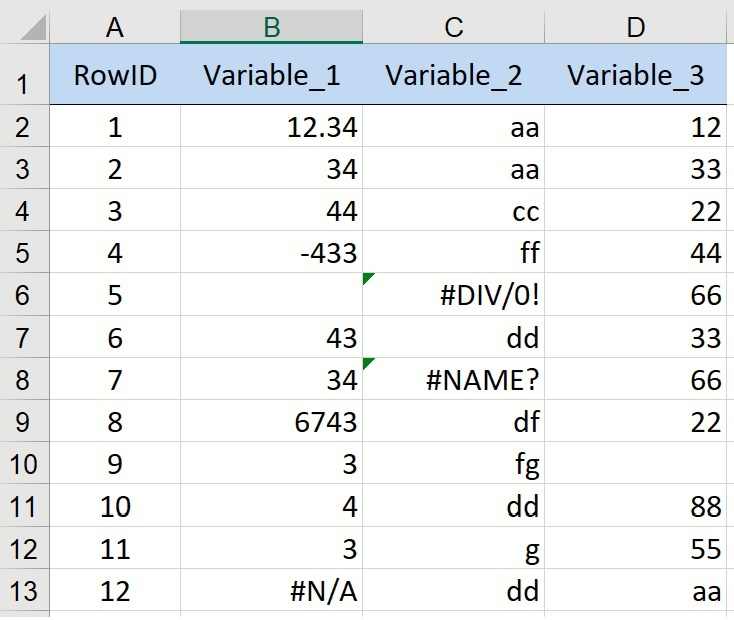
Missing values are among the most common data quality issues.
Example:
| Customer | Revenue |
|---|---|
| John | 500 |
| Sarah | NaN |
| Mike | 300 |
The missing revenue value may affect calculations.
Identifying Missing Values
df.isnull().sum()
What It Is Used For
Counts missing values in each column.
Removing Missing Values
If missing records are not useful, they can be removed.
Example:
df = df.dropna()
What It Is Used For
Removes rows containing missing values.
This is useful when only complete records are needed.
Replacing Missing Values
Sometimes removing data is not the best option.
Instead, missing values can be replaced.
Example:
df["Revenue"] = df["Revenue"].fillna(df["Revenue"].mean())
What It Is Used For
Replaces missing revenue values with the average revenue.
This helps preserve valuable records.
Removing Duplicate Records
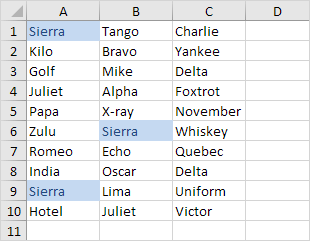
Duplicate records can distort results.
Example:
| Customer | Revenue |
|---|---|
| John | 500 |
| John | 500 |
If duplicates are counted twice, reports become inaccurate.
Finding Duplicates
df.duplicated().sum()
What It Is Used For
Counts duplicate rows.
Removing Duplicates
df = df.drop_duplicates()
What It Is Used For
Keeps only unique records.
Standardizing Text Data
Text inconsistencies are common.
Example:
- Lagos
- lagos
- LAGOS
These represent the same city but appear differently.
Converting to Uppercase
df["City"] = df["City"].str.upper()
What It Is Used For
Creates consistency across records.
Converting to Lowercase
df["City"] = df["City"].str.lower()
What It Is Used For
Ensures standardized text formatting.
Removing Extra Spaces
Extra spaces can create hidden errors.
Example:
- “John”
- ” John “
- “John “
Python can remove these spaces.
df["Customer"] = df["Customer"].str.strip()
What It Is Used For
Removes unnecessary spaces before and after text.
Fixing Date Formats
Date inconsistencies often create analysis problems.
Examples:
- 01/05/2025
- May 1, 2025
- 2025-05-01
Python can standardize these formats.
df["Date"] = pd.to_datetime(df["Date"])
What It Is Used For
Converts dates into a consistent format.
Correcting Data Types
Sometimes numbers are stored as text.
Example:
df["Revenue"] = pd.to_numeric(df["Revenue"])
What It Is Used For
Converts text values into numeric values.
This allows calculations to be performed correctly.
Detecting Outliers
Outliers are unusually large or small values.
Example:
| Revenue |
|---|
| 500 |
| 600 |
| 700 |
| 100000 |
The value 100000 may be an error.
Why Outliers Matter
Outliers can:
- Distort averages
- Affect forecasts
- Mislead analysis
Python can help identify suspicious values automatically.
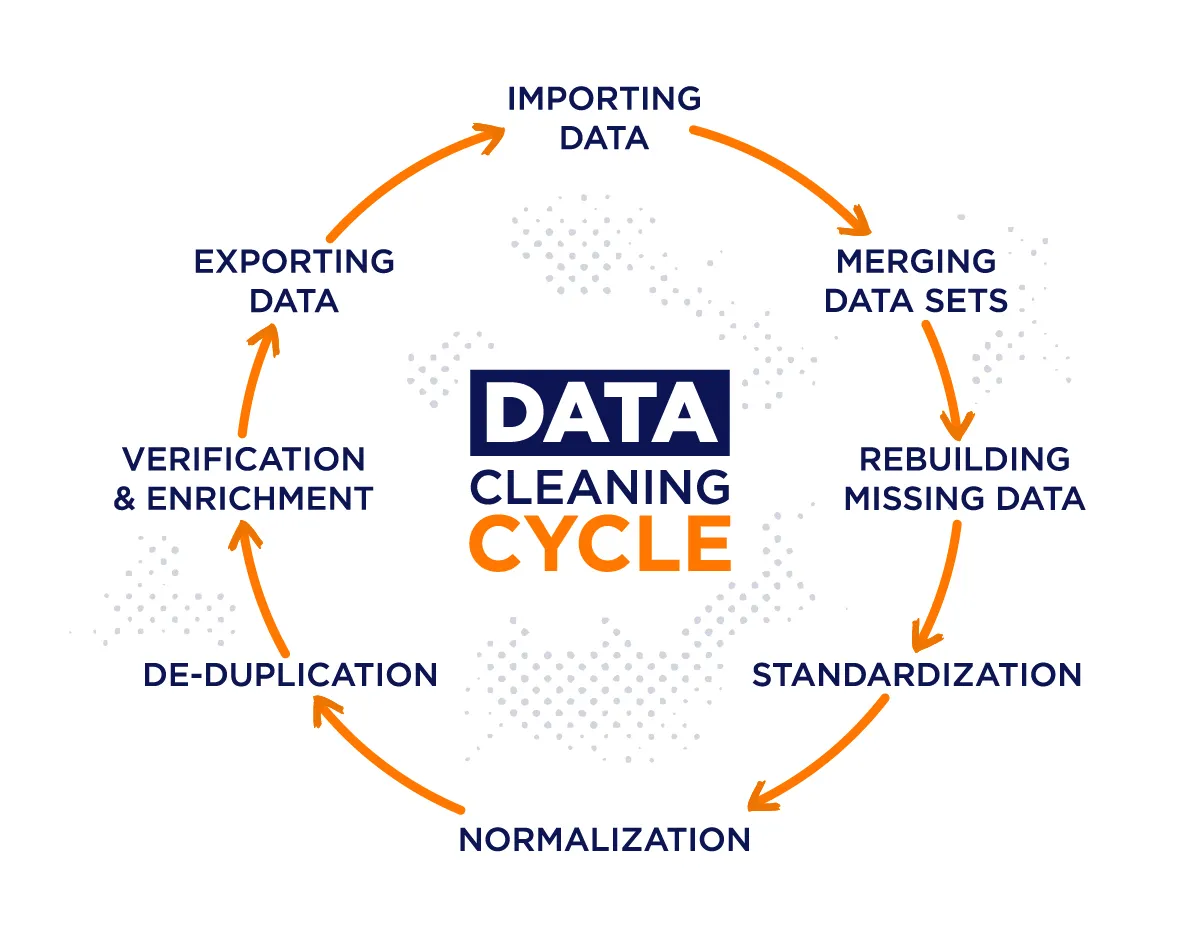
Automating the Entire Cleaning Process
The real power of Python comes from combining multiple cleaning steps into a single script.
Example workflow:
- Load data
- Remove duplicates
- Handle missing values
- Standardize text
- Fix dates
- Export cleaned data
Whenever new data arrives, the same script can run automatically.
Exporting Cleaned Data
After cleaning, the results can be saved.
Example:
df.to_csv("cleaned_data.csv", index=False)
What It Is Used For
Creates a new dataset ready for analysis.
Real-World Applications
Automated data cleaning is widely used in:
Finance
- Transaction processing
- Fraud detection
Healthcare
- Patient records management
Marketing
- Customer database maintenance
Retail
- Product catalog management
Data quality directly affects business decisions.
Best Practices
To build reliable cleaning scripts:
- Validate incoming data
- Keep backup copies
- Document cleaning rules
- Test scripts regularly
- Monitor for unexpected changes
These practices improve reliability and trust.
Common Mistakes to Avoid
- Deleting too much data
- Ignoring outliers
- Assuming all missing values are errors
- Failing to validate results
Always review cleaned datasets before analysis.
Conclusion
Data cleaning is one of the most important stages in any data project. Poor-quality data can lead to inaccurate reports, faulty predictions, and costly business mistakes.
By automating data cleaning with Python, organizations can improve efficiency, ensure consistency, and prepare datasets for analysis with minimal manual effort. As data volumes continue to grow, automation becomes an essential skill for analysts, data scientists, and business professionals alike.
A well-designed cleaning script can transform hours of repetitive work into a process that runs automatically, delivering reliable, analysis-ready data every time.