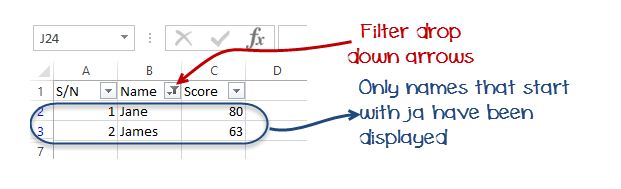
Data filters allow us to get data that matches our desired criteria. Let’s say we want to show the results of all the students whose names start with “JA” or get scores that are less than, greater than or equal to a certain value, we can use filters to get such data.
Select the name and scores columns as shown below
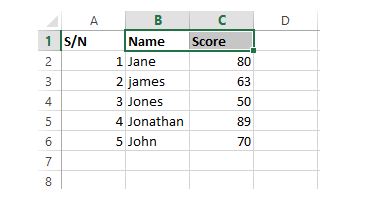
- Click on DATA tab on the ribbon
- Click on Sort & Filter drop down list as shown in the image below
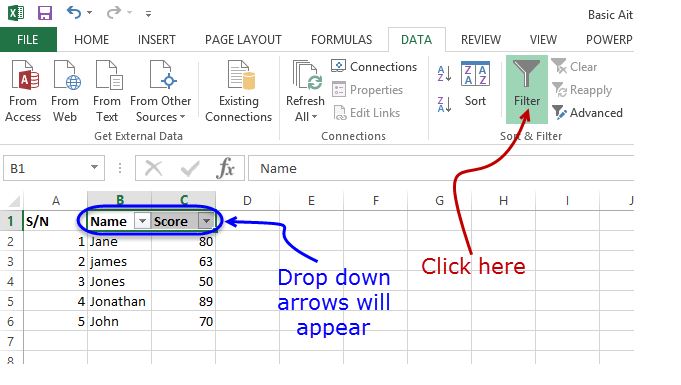
- Click on the Name Filter
- Select text filters
- Select begins with
- You will get the following window.
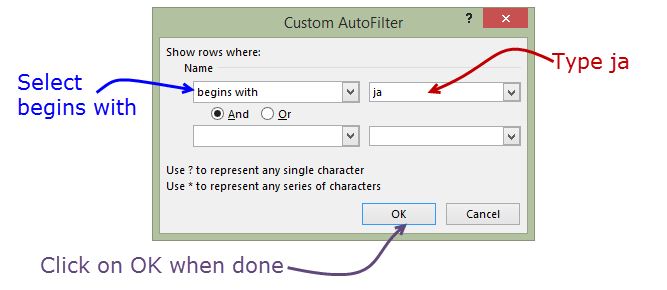
- Enter “ja” and click on “OK” button
- You should be able to see only the results for Jane and James.