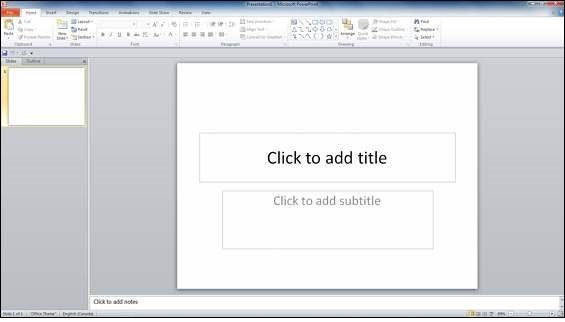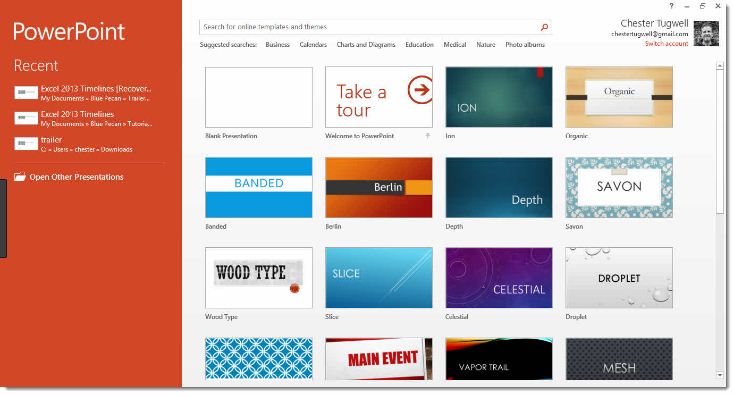
Microsoft PowerPoint is a commercial presentation application written and distributed by Microsoft. Microsoft PowerPoint is a presentation tool that supports text, shapes, graphics, pictures and multimedia along with integration with other Microsoft Office products like Excel. By default, documents saved in PowerPoint 2010 are saved with the .pptx extension whereas, the file extension of the prior PowerPoint versions is .ppt.
Audience
This tutorial has been designed for computer users who are willing to learn Microsoft PowerPoint in simple steps and they do not have much knowledge about computer usage and Microsoft applications. This tutorial will give you enough understanding on MS PowerPoint from where you can take yourself at higher level of expertise.
Prerequisites
Before proceeding with this tutorial you should have a basic understanding of Computer peripherals like mouse, keyboard, monitor, screen, etc. and their basic operations.
In this chapter, we will understand how to get started with PowerPoint 2010. We will understand how to start PowerPoint 2010 application in simple steps. To access PowerPoint 2010, you must have Microsoft Office 2010 installed in your PC. Only Office 2010 Home and Student, Home and Business, Standard, Professional and Professional Plus packages have PowerPoint included in them. Other packages may have a viewer, but you cannot create presentations with them.
Step 1 − Click the Start button.
Step 2 − Click All Programs option from the menu
Step 3 − Search for Microsoft Office from the sub menu and click it
Step 4 − Search for Microsoft PowerPoint 2010 from the submenu and click it.
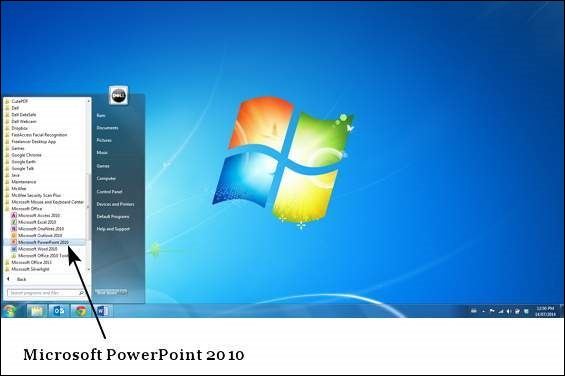
This will launch the Microsoft PowerPoint 2010 application and you will see the following presentation window.