
Good Morning.
How was your night?
Today, I want to teach you how to create a project plan on your MS Project.
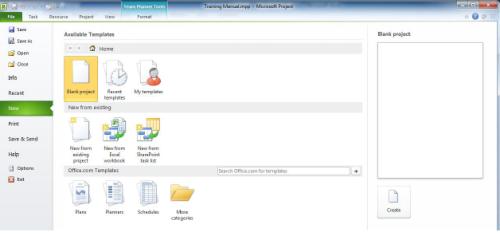
There are multiple ways to create a project plan – from a blank project, form a template, from an existing project and from Excel.
To create a project, you need to:
From the File tab, choose New.
Select the desired method and click Create.
The first required step in creating a project is to enter a start or finish date. How will you do this? Follow the steps below:
From the Project tab, click Project Information.

Set the desired Start or Finish Date and click OK.

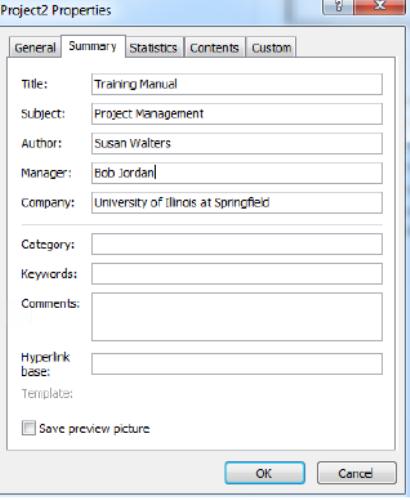
Additional project properties can be identified
From the File tab, choose Project Information, then Advanced Properties.

Complete the fields as desired. Then click OK.
Your questions are welcome.
Thank you.