
Good Afternoon.
Today, I will like to expose you to the commonly used tasks in MS Excel.
–New
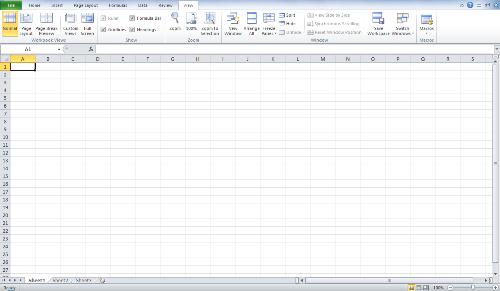
- Click File/New (or Ctrl N)
- Choose type of workbook (default is blank) then click Create
–Save
- Click the Save button in the Quick Access Toolbar (above the ribbon) – we recommend using this button often – you can’t wear it out!
–Save As (save a duplicate of the file with a new name) – Ctrl S
- Click File/Save As
- Name the file, then click Save (you are now working with the new version of the file – the original has closed and will stay as you left it)
–Open
- Click File/Open
- Choose a file, then click Open – Ctrl O
–Close
- Click File/Close to close the current workbook and continue working in Excel. If you want to exit Excel, you can click the x in the top right corner.
–Recent Files List
- Click File/Recent You’ll see a list of your recent files, newest at the top, as well as folders you have recently opened
- To quickly access the most recent files, click the checkbox next to Quickly access this number of files and set the number of files (default is 4). They will appear just above Info. (Alt F4)
–Print Preview
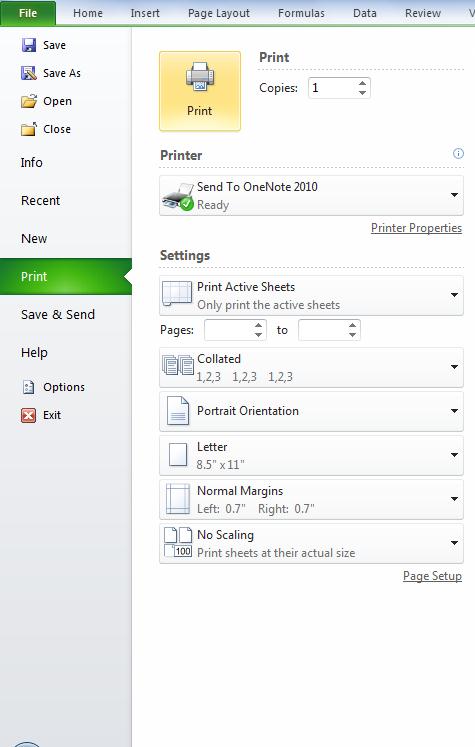
- Click File/Print (the preview appears on the right side of the screen)
- Click File/Print.
- Choose print settings as needed – to choose properties of the selected printer, click Printer Properties
–Format Painter (Word, Excel, PowerPoint)
- Select the formatted text to copy, click Home/Format Painter.
- Click where you would like to apply that formatting (Ctrl P).
–Page Setup
- Click Page Layout tab, then Page Setup group. If you would like to see all options for Page Setup, click the Dialog Box Launcher (arrow to the right in the Page Setup group)
–Undo
- To undo the last task, click the Undo button in the Quick Access Toolbar (above the ribbon) – click multiple times to undo multiple tasks (Ctrl Y)
–Options
- Click File/Options – categories are on the left. When making changes to options, make changes slowly so you can test and be sure Excel is working the way you’d like it to work. You can undo options by unchecking each one, but there is no reset to return to the default options.