

Good Afternoon.
How has been your day?
Today, I want to teach you how to pin your installed programmes to the taskbar.
Taskbar is line (bar) mostly at the bottom part of your desktop. At installation (without any form of manipulation) it will contain Start Menu, Windows Media Player, Internet Explorer, Date and Time, Icons for Battery level and sound. These icons are applicable to Windows. But there is exception to this, this is when adding of icons to the taskbar comes in.
What you can add to the taskbar
Basically, all installed softwares (application softwares) can be added to the taskbar.
Why the need for adding icons to taskbar?
The icons you see on the taskbar serve as shortcuts for each installed programme. The main need to add them to the taskbar is to enable user to open the installed programmes faster. That is they serve as shortcuts to where the installed programmes. So, you will not need clicking on Start Menu to select the programme or littering your desktop with the installed programme shortcuts. With this, it will help you manage your system disk better.
The question now is how will you get it done?
To do this, kindly follow the steps below:
- Click on Start Menu.
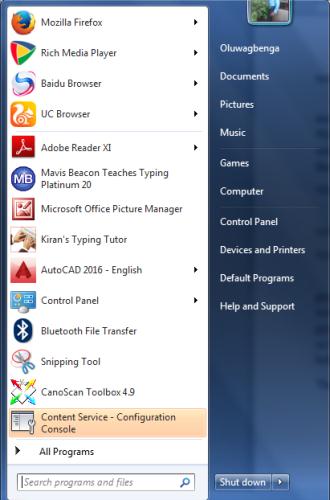
2. Right the programme you want to pin to the taskbar.
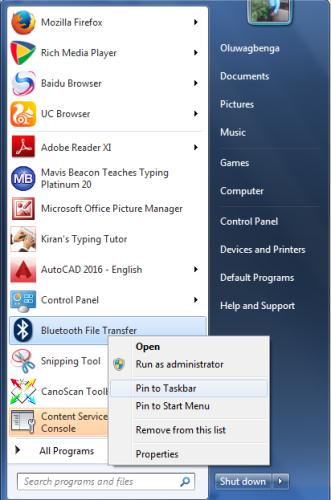
3. Select Pin to Taskbar
Note: automatically, it will add it to the taskbar icons.
Your questions are welcome.
Thank you.