
Financial forecasting is a critical process in business planning. Organizations rely on forecast models to estimate future revenue, expenses, cash flow, and profitability. A well-built financial forecast model helps decision-makers plan budgets, allocate resources, and prepare for risks.
Microsoft Excel remains one of the most powerful and accessible tools for building financial forecast models.
This article explains how to build a structured, professional financial forecast model from scratch.
What Is a Financial Forecast Model?
A financial forecast model is a structured spreadsheet that projects future financial performance based on historical data and assumptions.
It typically forecasts:
- Revenue
- Cost of goods sold (COGS)
- Operating expenses
- Profit
- Cash flow
Forecast models help answer questions like:
- How much revenue can we expect next quarter?
- Will we remain profitable if expenses increase?
- How will growth impact cash flow?
Step 1: Structure Your Workbook Properly
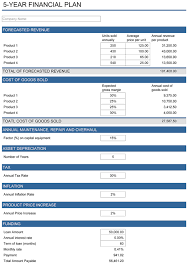
Professional financial models are structured into separate sections:
- Assumptions
- Historical Data
- Forecast Calculations
- Summary / Dashboard
Never mix inputs with formulas randomly.
A clean structure improves readability and reduces errors.

Step 2: Define Assumptions
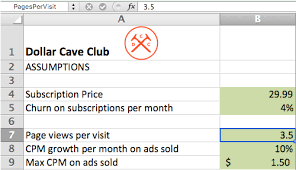
Your assumptions drive the forecast.
Examples:
- Revenue growth rate (10%)
- Cost increase rate (5%)
- Inflation rate
- Tax rate
Place assumptions in a dedicated section:
| Assumption | Value |
|---|---|
| Revenue Growth | 10% |
| Cost Growth | 5% |
Use cell references in formulas instead of typing numbers directly.
Step 3: Forecast Revenue
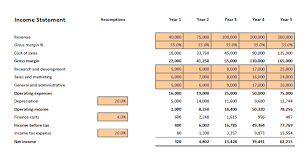
Basic revenue forecast formula:
=Previous_Year_Revenue * (1 + Growth_Rate)
Example:
If 2024 revenue = 100,000
Growth rate = 10%
2025 forecast:
=100000 * (1 + 10%)
Result: 110,000
Drag the formula across multiple years to project future revenue.
Step 4: Forecast Costs and Expenses
Costs are typically projected similarly:
=Previous_Cost * (1 + Cost_Growth_Rate)
Separate expenses into:
- Fixed costs
- Variable costs
- Operating expenses
This improves accuracy.
Step 5: Calculate Profit
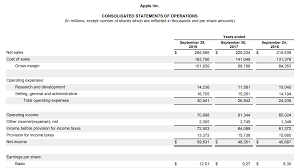
Profit formula:
=Revenue - Total_Costs
You may calculate:
- Gross Profit
- Operating Profit
- Net Profit
Example:
=Revenue - COGS - Operating_Expenses
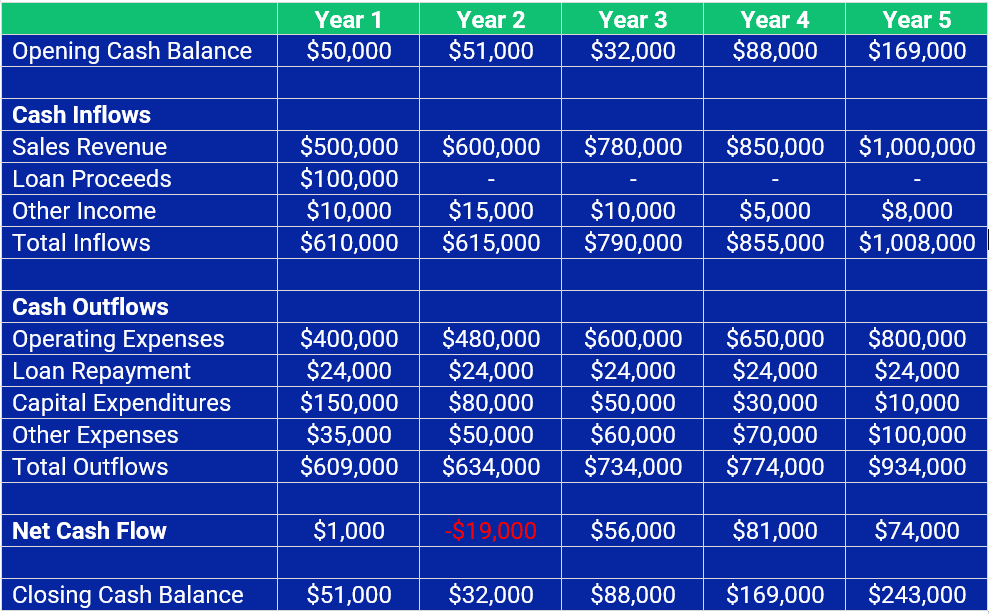
Step 6: Build a Cash Flow Projection
Cash flow forecast includes:
- Cash Inflows
- Cash Outflows
- Net Cash Flow
- Closing Balance
Basic formula:
Closing_Balance = Opening_Balance + Net_Cash_Flow
Cash flow forecasting prevents liquidity problems.
Step 7: Create Best, Worst, and Expected Cases
Use:
- Scenario Manager
- Separate assumption columns
- Or manual case comparison
Example:
| Scenario | Growth Rate |
|---|---|
| Best Case | 15% |
| Expected | 10% |
| Worst Case | 5% |
Switch between scenarios to compare impact.
This strengthens strategic planning.
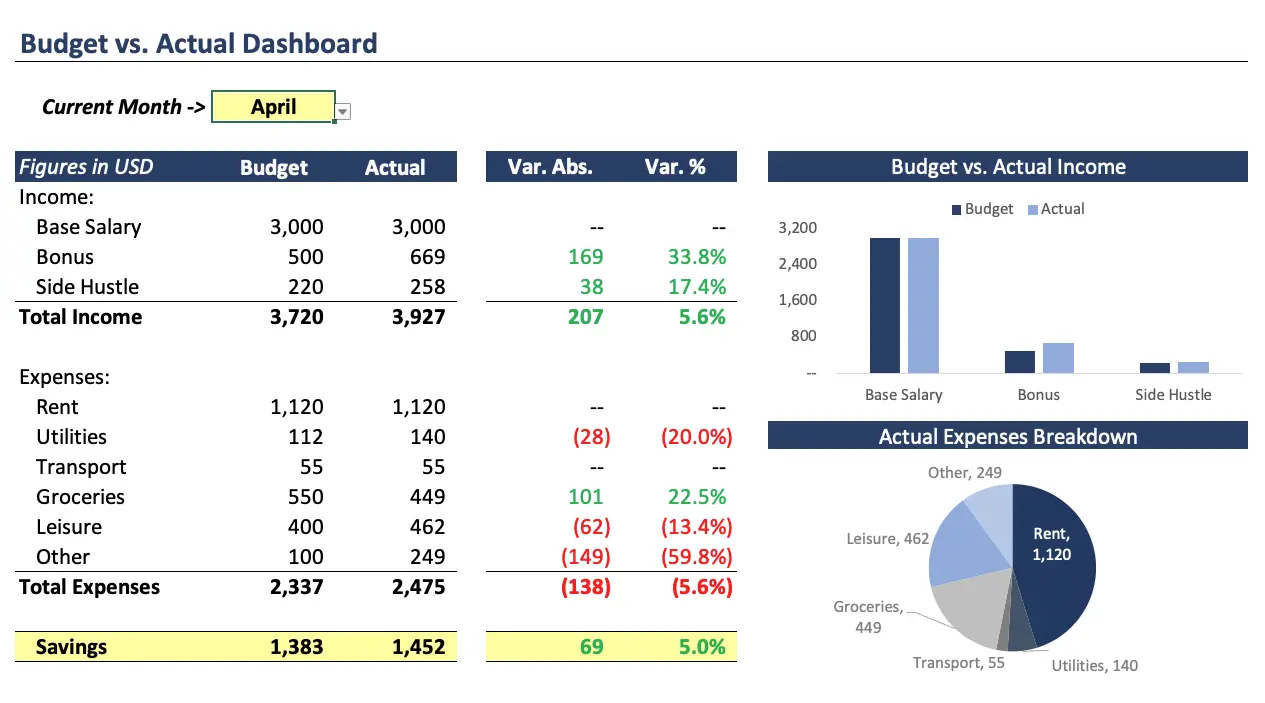
Step 8: Add Visualization
Create charts for:
- Revenue trends
- Profit growth
- Expense breakdown
- Cash balance trend
Visual dashboards improve communication.
Best Practices for Building Forecast Models
- Separate inputs from calculations
- Avoid hardcoding numbers in formulas
- Use named ranges
- Document assumptions
- Keep formulas consistent
- Test extreme scenarios
Professional models are simple, transparent, and flexible.
Common Mistakes to Avoid
- Mixing input and output cells
- Overcomplicating formulas
- Ignoring seasonality
- Not validating historical trends
- Failing to update assumptions
Always review forecasts regularly.
Financial Forecast Model vs Budget
| Feature | Forecast | Budget |
|---|---|---|
| Dynamic updates | Yes | Usually fixed |
| Based on projections | Yes | Based on targets |
| Flexible | High | Moderate |
Forecasts adapt to changing business conditions.
Conclusion
Building a financial forecast model in Excel allows businesses to project revenue, manage expenses, anticipate risks, and plan strategically. With structured assumptions, clean formulas, and scenario analysis, Excel becomes a powerful financial planning tool.
A strong forecast model is not about complexity — it is about clarity, flexibility, and informed decision-making.