
Every organization collects data from multiple sources.
Sales teams use CRM systems. Marketing teams use campaign platforms. Operations teams use inventory management software. Finance teams pull from accounting tools.
The challenge is getting all of this data into one place in a format that is clean, consistent, and ready for analysis.
This is what ETL pipelines solve.
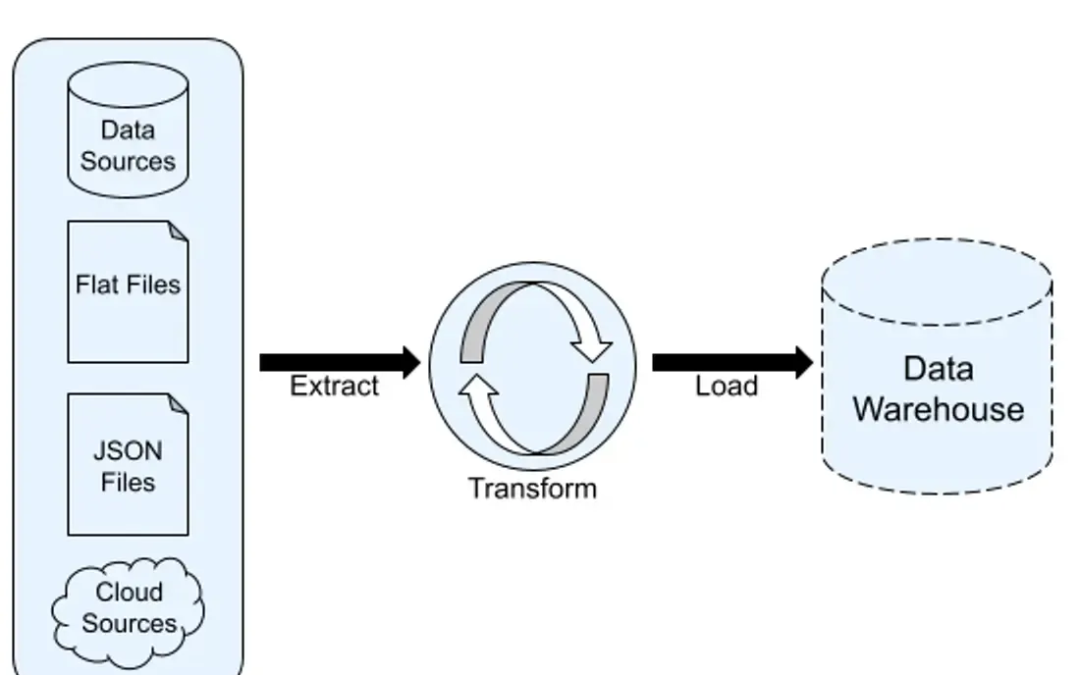
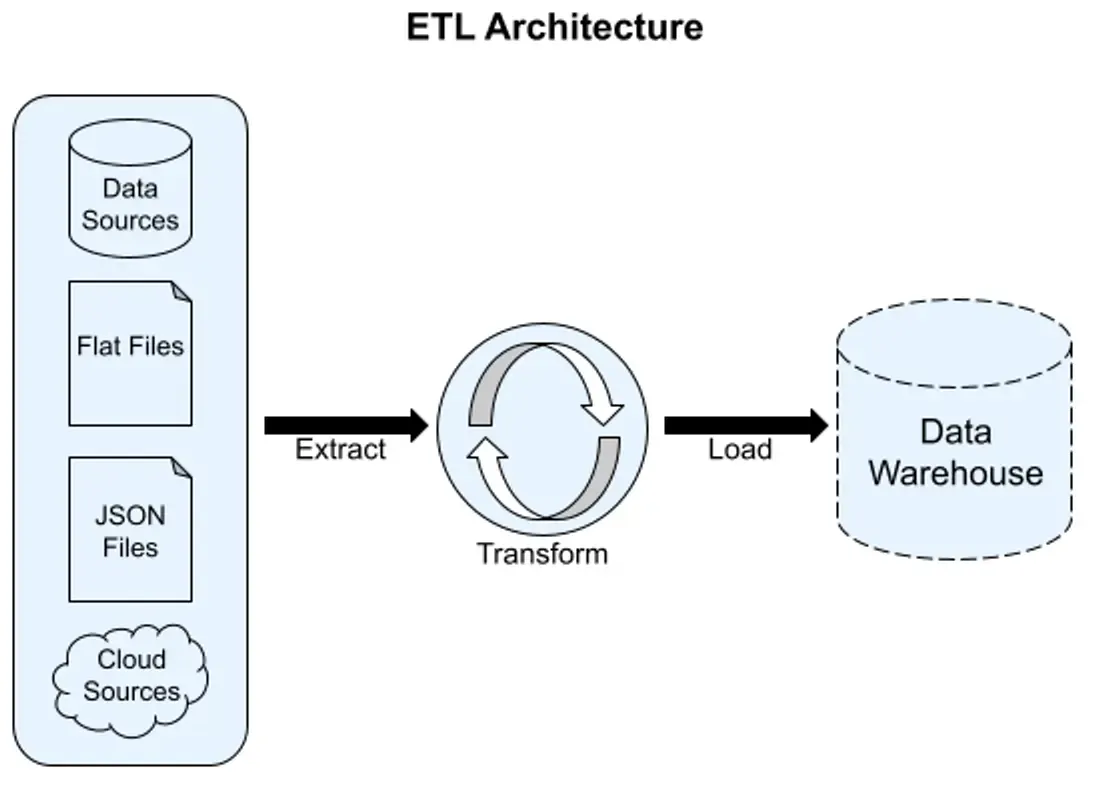
ETL stands for Extract, Transform, and Load. It is the process of pulling data from source systems, cleaning and reshaping it, and loading it into a destination where it can be analyzed.
Python is one of the most widely used tools for building ETL pipelines, offering powerful libraries that handle every stage of the process automatically.
What Is an ETL Pipeline?
An ETL pipeline is an automated sequence of steps that moves data from one or more sources to a destination.
Each step has a specific purpose.
Extract
Data is pulled from source systems such as databases, APIs, CSV files, or web pages.
Transform
The extracted data is cleaned, filtered, reformatted, and enriched to match the requirements of the destination system.
Load
The transformed data is written into a target destination such as a data warehouse, database, or reporting tool.
Why Build Automated ETL Pipelines?
Manual data movement is slow and error-prone.
Without automation, a data analyst might spend hours each week downloading files, reformatting spreadsheets, and uploading data to reporting tools.
Automated ETL pipelines run these steps on a schedule with no human involvement.
Benefits of Automated ETL
- Data is always current without manual intervention
- Errors introduced by copy-paste or reformatting are eliminated
- Teams can access clean, consistent data at any time
- Pipelines scale to handle large data volumes automatically
The Extract Stage: Pulling Data from Sources
The first step in any ETL pipeline is extracting data from its source.
Python can extract data from many source types.
Extracting from a CSV File
python
import pandas as pd

df = pd.read_csv("raw_sales_data.csv")
What This Does
Reads a CSV file into a pandas DataFrame for processing.
Extracting from a Database
python
import sqlite3
import pandas as pd

connection = sqlite3.connect("orders.db")

df = pd.read_sql_query("SELECT * FROM orders", connection)
What This Does
Pulls all records from a database table into a DataFrame.
Extracting from an API
python
import requests

response = requests.get("https://api.example.com/sales")

data = response.json()
What This Does
Fetches data from a REST API and parses the JSON response.
The Transform Stage: Cleaning and Reshaping Data
Once extracted, raw data often contains issues that need to be corrected before loading.
Common transformation tasks include:
- Removing duplicate rows
- Handling missing values
- Standardizing date formats
- Renaming columns to match destination requirements
- Filtering out irrelevant records
- Aggregating data into summaries
Removing Duplicates
python
df = df.drop_duplicates()Handling Missing Values
python
df = df.fillna(0)Standardizing Column Names
python
df.columns = df.columns.str.lower().str.replace(" ", "_")Filtering Records
python
df = df[df["status"] == "completed"]Converting Date Formats
python
df["order_date"] = pd.to_datetime(df["order_date"])What These Steps Do
Each transformation brings the data one step closer to being clean, consistent, and ready for analysis.
The Load Stage: Writing Data to a Destination
After transformation, the cleaned data is loaded into a target system.
Loading to a CSV File
python
df.to_csv("cleaned_sales_data.csv", index=False)Loading to a Database
python
df.to_sql("clean_orders", connection, if_exists="replace", index=False)What This Does
- Saves the transformed data as a CSV or writes it directly into a database table
- Replaces existing data with the updated version
Combining All Three Stages
A complete ETL pipeline brings extract, transform, and load together into one automated script.
python
import pandas as pd
import sqlite3

# Extract
df = pd.read_csv("raw_sales_data.csv")

# Transform
df = df.drop_duplicates()
df = df.fillna(0)
df.columns = df.columns.str.lower().str.replace(" ", "_")
df = df[df["status"] == "completed"]

# Load
connection = sqlite3.connect("warehouse.db")
df.to_sql("clean_sales", connection, if_exists="replace", index=False)
connection.close()

print("ETL pipeline complete.")
What This Does
Runs the full pipeline in sequence, taking raw data from a CSV file and delivering clean data into a database.
Automating Data Movement Between Systems
ETL pipelines are not limited to single files.
Python can move data between entirely different systems.
Common patterns include:
- Pulling from an API and loading into a database
- Extracting from multiple CSV files and merging them into one dataset
- Querying one database and writing results to another
- Collecting web-scraped data and storing it in a data warehouse
Scheduling ETL Pipelines
Once the pipeline is written, it can be scheduled to run automatically.
On Windows, the Task Scheduler can run a Python script at set intervals. On Linux and macOS, cron jobs serve the same purpose.
A daily ETL pipeline might run each morning before business hours, ensuring fresh data is available when the team arrives.
Best Practices for Scalable ETL Pipelines
- Log each pipeline run with timestamps and record counts
- Handle errors at each stage and send alerts on failure
- Validate data after transformation before loading
- Keep credentials out of scripts using environment variables
- Modularize the pipeline so each stage can be tested independently
Conclusion
Automated ETL pipelines eliminate the manual effort of moving and transforming data between systems. By breaking the process into three clear stages — extract, transform, and load — Python makes it possible to build reliable data workflows that run on schedule with minimal oversight.
As organizations grow and data sources multiply, well-designed ETL pipelines become the foundation of any data-driven operation, ensuring that clean, consistent data is always where it needs to be.