by dayo ade | Oct 9, 2017 | Articles and Short Tutorials, Web Design Tutorials and Articles
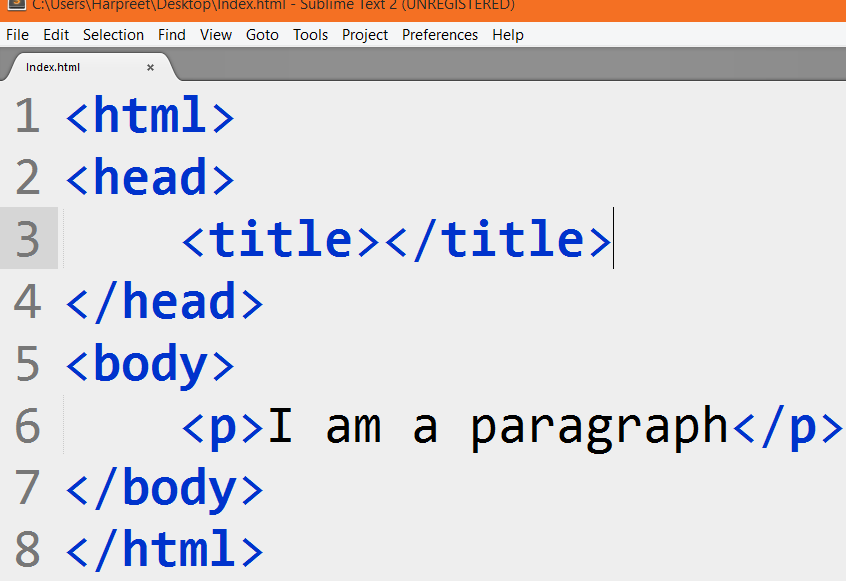
HTML Paragraphs The HTML <p> element defines a paragraph: Example <p>This is a paragraph.</p> <p>This is another paragraph.</p> Note: Browsers automatically add some white space (a margin) before and after a paragraph. HTML Display You...

by dayo ade | Oct 9, 2017 | Articles and Short Tutorials, Web Design Tutorials and Articles
Headings are important in HTML documents. HTML Headings Headings are defined with the <h1> to <h6> tags. <h1> defines the most important heading. <h6> defines the least important heading. Heading 1 Heading 2 Heading 3 Heading 4 Heading 5...

by dayo ade | Oct 9, 2017 | Articles and Short Tutorials, Web Design Tutorials and Articles
HTML Attributes All HTML elements can have attributes Attributes provide additional information about an element Attributes are always specified in the start tag Attributes usually come in name/value pairs like: name=”value” The href Attribute HTML links...

by dayo ade | Oct 9, 2017 | Articles and Short Tutorials, Web Design Tutorials and Articles
HTML Elements An HTML element usually consists of a start tag and end tag, with the content inserted in between: <tagname>Content goes here…</tagname> The HTML element is everything from the start tag to the end tag: <p>My first...

by dayo ade | Oct 9, 2017 | Articles and Short Tutorials, Web Design Tutorials and Articles
HTML Documents All HTML documents must start with a document type declaration: <!DOCTYPE html>. The HTML document itself begins with <html> and ends with </html>. The visible part of the HTML document is between <body> and </body>....

by dayo ade | Oct 9, 2017 | Articles and Short Tutorials, Web Design Tutorials and Articles
Write HTML Using Notepad or TextEdit Web pages can be created and modified by using professional HTML editors. However, for learning HTML we recommend a simple text editor like Notepad (PC) or TextEdit (Mac). We believe using a simple text editor is a good way to...
