
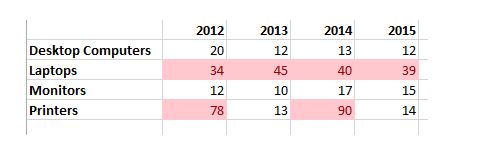
As the name suggests, conditional formatting refers to formatting that is only applied when the specified condition is true. Let’s say we want to easily fetch the sales figures greater than 30. We can use conditional formatting to highlight all the sales figures that are greater than 30.
Highlight all the sales figures as shown below

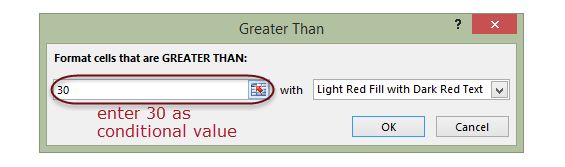
you will get the following dialogue window when you click on Greater Than…
The final result should look as follows
If you want to remove the conditional formatting,
- Click on conditional formatting button
- Select clear rules
- Select clear rules from the entire sheet
Summary
Conditional formatting is also another power formatting feature of Excel that helps us easily see the data that meets a specified condition