
Introduction:
Slicers in Excel are implemented along with the Excel tables and pivot table to act as one-click software filters to filter out the required information from an enormous collection of data within a seconds.
What Are Slicers in Excel?
Slicers in Excel are software filters used along with pivot tables over a large amount of data. Not just filtering out the data, but slicers also help you with an easy understanding of the information being extracted and displayed on the screen.
How to Use Slicers in Excel?
The following steps can be followed to include slicers in Excel pivot tables.
Step 1: Convert the data into a tabular format or a pivot table format.
Step 2: Select any cell of the Excel table or pivot table and insert slicers.
Now, it’s time to look into the steps in a bit of detail.
Step 1
Convert the data into a tabular format or a pivot table format.
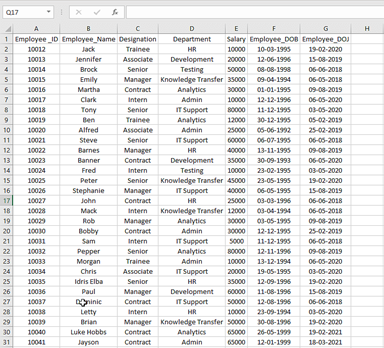
By default, Excel treats your data in the form of a database, and adding slicers would not be possible sometimes. So in your defense, you could directly start either by converting the data into a pivot table or simply an Excel table.
Select any cell from Excel to create a pivot table.
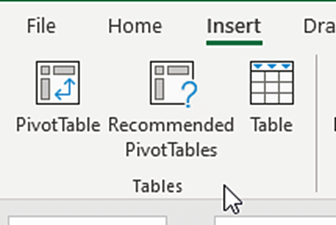
- Navigate to the insert menu on the toolbar and select pivot table.
- In the pivot table sheet, navigate to the insert option, select the option to insert slicers
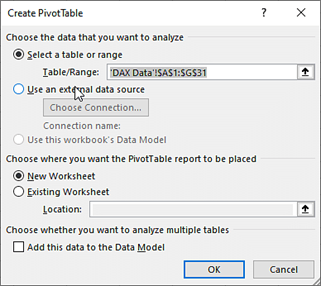
Step 2
Select any cell of the Excel table or pivot table and insert slicers.
Now insert the slicers. Inserting slicers is completely the same as inserting slicers in a pivot table.
- Select any cell in the table
- Navigate to the insert option on the toolbar
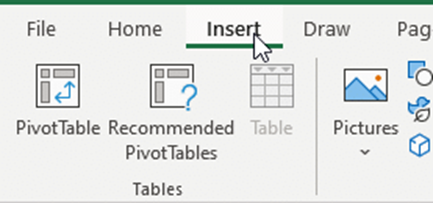
- Select insert slicer
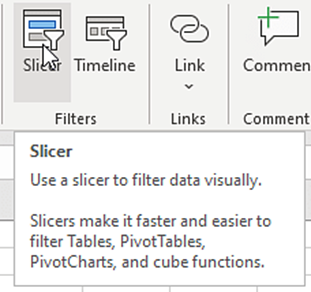
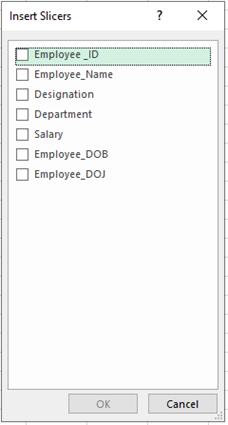
- A new window will appear asking for parameters. Select parameters and press ok
- The slicers will be available on the screen and ready for operations

- Try to filter the information using slicers, and the results should appear similar to the following image below

Benefits of Using Slicers in Excel
Using slicers in Excel has proven to have multiple advantages and make life easier during real-time data analysis. A few important benefits are discussed below.
- The Slicer formulas, along with formula, are easy to be copied or moved to different tables.
- Using Slicers, it is possible to get the required information with ease within a fraction of time, eliminating the brute-force method of manually filtering out the data.
- Slicers in Excel help in maintaining data security and integrity as the user is only interested in filtering out the necessary information but not mess with the actual data.
Conclusion:
Interested to learn more about Data Analytics/ Business Analytics? Or wish to get trained and certified to become a successful Data Analytics/ Business Analyst? Then feel free to reach out to Megatek ICT Academy, Check out www.ictacademy.com.ng for more info Or call 08033146625.