
Many people create presentations with dozens of slides in one long list. As the presentation grows, it becomes difficult to manage.
Sections solve this problem.
Sections allow you to divide your presentation into organized groups, similar to chapters in a book.
What Are Sections in PowerPoint?
Sections are slide groups that help you organize a large presentation.
For example, a presentation could contain:
- Introduction
- Background
- Data Analysis
- Recommendations
- Conclusion
Each part can become its own section.
Why Sections Matter
Sections make it easier to:
- Rearrange slides
- Collapse groups of slides
- Work faster in large presentations
- Keep the presentation organized
They are especially useful for:
- School projects
- Business reports
- Training sessions
- Thesis presentations
If your presentation has more than 15 slides, sections can save a lot of time.
How to Create Sections
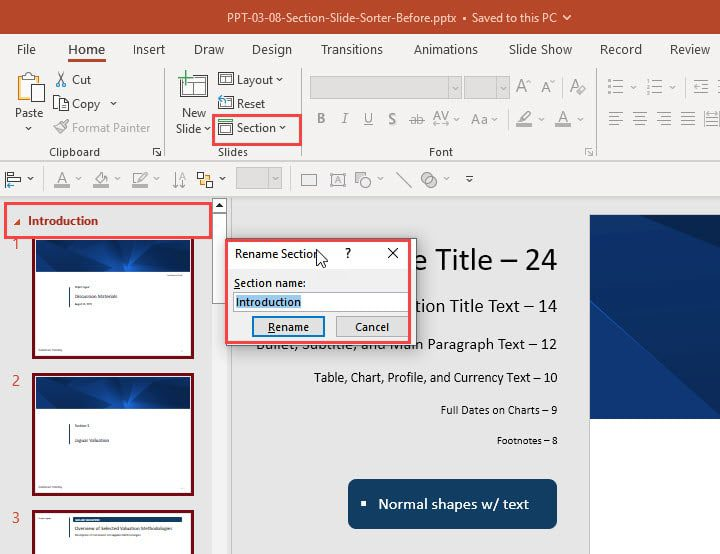
- Right-click between slides
- Select Add Section
- Rename the section
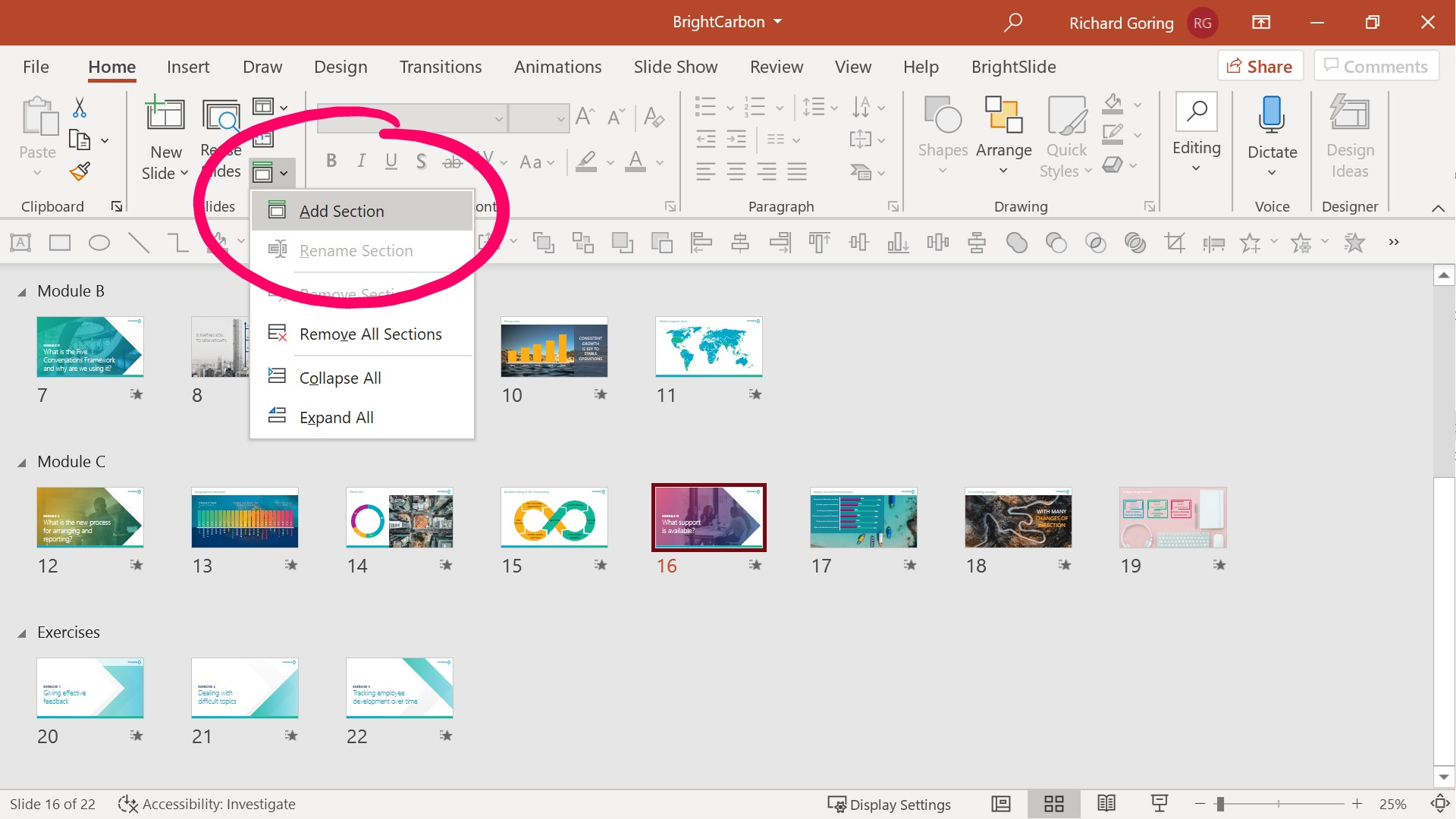
Once created, you can move entire sections instead of moving slides one by one.