
by Bashiru Adeitan | Oct 31, 2016 | Articles and Short Tutorials, Microsoft Powerpoint Articles
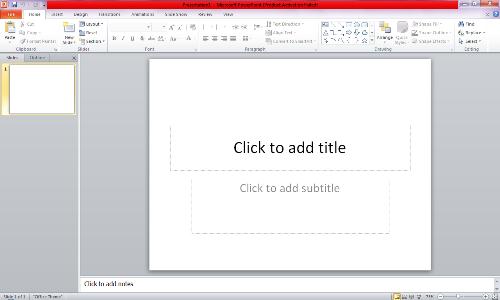
Good Evening. Today, I will be teaching you how you can conveniently use template in Microsoft powerpoint. At first, let’s quickly take a look at what template is. A PowerPoint template is a pattern or blueprint of a slide or group of slides that you save as a .potx...
by Bashiru Adeitan | Oct 31, 2016 | Articles and Short Tutorials, Microsoft Powerpoint Articles
You can animate (animate: To add a special visual or sound effect to text or an object. For example, you can have your text bullet points fly in from the left, one word at a time, or hear the sound of applause when a picture is uncovered.) the text, pictures, shapes,...

by Bashiru Adeitan | Oct 31, 2016 | Articles and Short Tutorials, Microsoft Excel Articles
Formulas are equations that can perform calculations, return information, manipulate the contents of other cells, test conditions, and more. A formula always starts with an equal sign (=). Just as we have series of formulas in mathematics, physics, chemistry and the...
by Oluwaseun | Oct 31, 2016 | Articles and Short Tutorials, Microsoft Project Tutorials and Articles, Project Management Tutorials and Articles
Sometimes it takes one resource to complete a task, but other times you need more. Sometimes a resource can only work part time. To account for these differences, Microsoft Office Project uses units to calculate the exact amount of time resources can work on a task....

by Bashiru Adeitan | Oct 31, 2016 | Articles and Short Tutorials, Microsoft Excel Articles
Good Afternoon. How was your weekend? Today, I will be teaching you how you how to automatically save and recover your Microsoft Office files. At first, I will like to establish this fact: the AutoRecover feature is not a substitute for manually saving your work by...
by Bashiru Adeitan | Oct 27, 2016 | Articles and Short Tutorials, Microsoft Word Tutorials and Articles
Microsoft Office is one of the most popular office suites out there. It’s used by businesses both large and small. There are versions for college students and for home use. It’s available for both PC and Mac and word around the internet grapevine is that it’ll...

by Bashiru Adeitan | Oct 27, 2016 | Project Management Tutorials and Articles
These are the basic types of graphics that you can use to enhance your Microsoft Office Word documents: drawing objects, SmartArt, charts, pictures, and clip art. Drawings refer to a drawing object or a group of drawing objects. Drawing objects include shapes,...

by Bashiru Adeitan | Oct 27, 2016 | Articles and Short Tutorials, Microsoft Word Tutorials and Articles
Microsoft Word is a very popular word-processing program. While it can be used for typing letters and basic documents, a Word document can also include pictures and graphics for making posters or even birthday cards. This guide explains how to move...

by Bashiru Adeitan | Oct 26, 2016 | Articles and Short Tutorials, Microsoft Word Tutorials and Articles
Sometimes, a document that you’re creating may call for different text layouts. The standard layout is for the text to be aligned to the left. Other layouts that can be set up are centred text, where text will be placed in the centre of the document, right...
by Bashiru Adeitan | Oct 26, 2016 | Articles and Short Tutorials, Microsoft Word Tutorials and Articles
Microsoft Word is the industry-standard word processing program used on most computers. With Word, you can create documents and complete a number of other functions related to word processing. This program carries with it several advantages that you can benefit from....
