by Peter Obikpe | Apr 1, 2026 | Microsoft Excel Articles
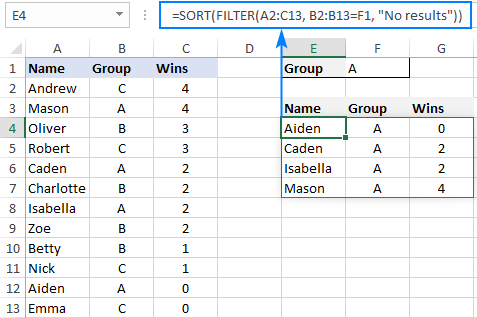
Older Excel formulas usually return one result in one cell. Dynamic Array formulas are different. They can return multiple results automatically into several cells. This is one of the biggest changes in modern Excel. Instead of copying formulas down row by row, one...
by Peter Obikpe | Apr 1, 2026 | Microsoft Excel Articles
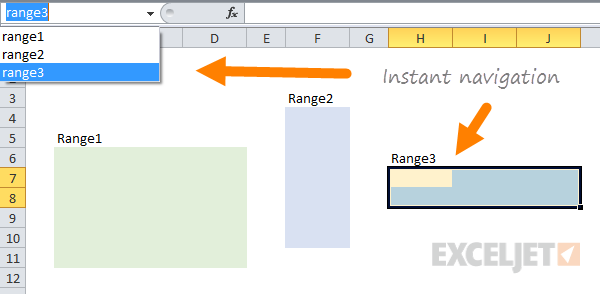
Most Excel users write formulas using cell references such as A2, B15, or D20. As spreadsheets become larger, those references become difficult to understand. For example, compare these two formulas: =SUM(B2:B15) =SUM(Sales_Amount) The second formula is much easier to...
by Peter Obikpe | Apr 1, 2026 | Microsoft Excel Articles
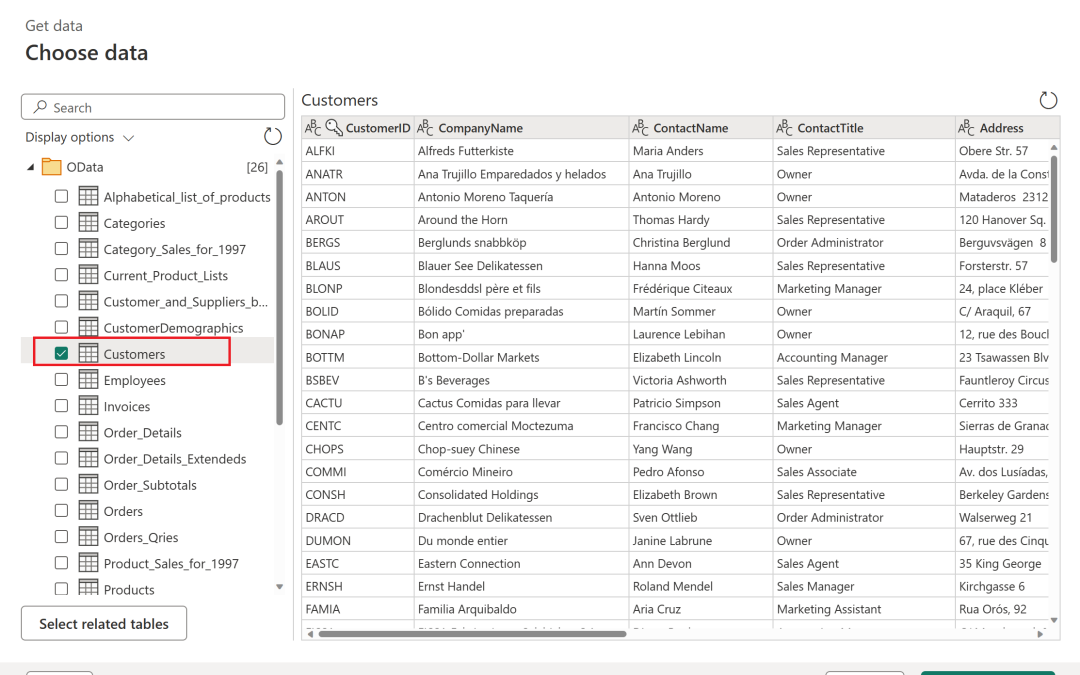
Many Excel users still spend hours manually deleting blank rows, fixing dates, splitting names, and combining files. The problem is that these same cleaning tasks usually need to be repeated every time new data arrives. A smarter solution is to use Power Query in...
by Peter Obikpe | Apr 1, 2026 | Data Analysis
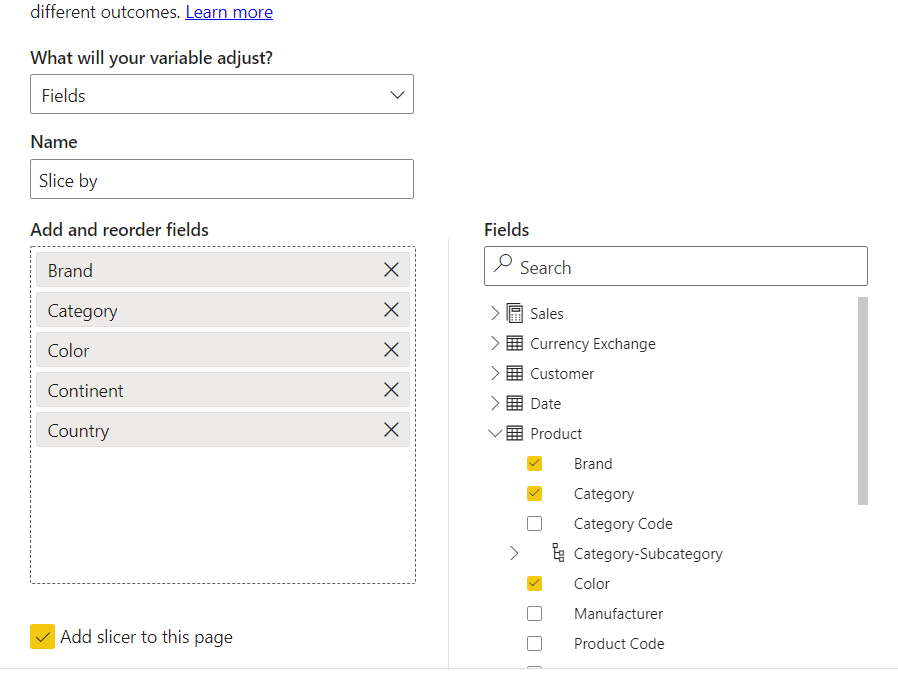
One of the newest and most powerful features in Power BI is Field Parameters. Most dashboards force users to view the same chart in the same way every time. Field Parameters allow users to choose what they want to see. Instead of creating separate visuals for every...

by Peter Obikpe | Apr 1, 2026 | Data Analysis
Many Power BI users import, clean, and transform the same data again and again in different reports. Over time, this creates duplicated effort, inconsistent calculations, and reports that become difficult to maintain. A smarter approach is to use Power BI Dataflows....
