

If you are working on a 3D game, you have the option of choosing from a myriad of Graphic Design Software. Picking the right software which well suits your needs is a tough task to do, though. You would need this software to create the 3D assets that fill your own world of gaming. It can include everything from creatures to characters to other objects such as fences, buildings, and even trash cans. A game with no assets is no less than empty placeholders lying around which are not being put to any good use.
3ds Max, formerly known as 3D Studio Max, has been in the game for quite some time. After various test versions, it settled on 3D Studio Max in 1996 (later renamed 3ds Max). It has become an industry standard ever since, utilized in everything from major motion pictures to top-selling video games.
Blender is the younger 3D program on the block, having gone through long development before becoming stable enough in 2002. Unlike a lot of competing software of the era, Blender not only survived but thrived with a supportive community for its free price tag and open source technology.
System Requirements

3ds Max (2021)
- Operating system: 64-bit Windows 10 or higher
- Processor: 64-bit Intel or AMD multi-core processor with SSE4.2 instruction set
- Graphics card: Required
- Memory: Minimum 4 GB of RAM, 8 GB or more is recommended
- Disk space: 9 GB of free disk space, more is recommended
Blender
- Operating system: Windows (64-bit Windows 7, but newer is recommended), Mac (OSX 10.13 or newer), Linux
- Processor: 64-bit dual-core 2 GHz CPU with SSE2 support
- Graphics card: Required
- Memory: Minimum 4 GB of RAM, more is recommended
- Disk space: 8 GB of free disk space, more is recommended
Features & Functions
As mentioned above, both 3ds Max and Blender have features for polygon modeling (usually called just modeling), rigging, UV lighting, animating, simulation, and rendering, but they work in slightly different ways.

3ds Max is a more complex program with more functions geared towards final quality, as it’s more used in industry settings. That said, Blender is also very complete and able to achieve full animations and renders, just not to the same efficiency standard as 3ds Max.
It’s also worth mentioning that both programs allow you to use third-party renderers, although this isn’t a common practice as the default ones work just fine. However, users who want to achieve some special effects might use a third-party renderer that’s explicitly for that desired look.
3ds Max
- Modeling: Comprehensive tools for modeling include smart extrusion, which allows you to easily extrude faces and cuts into an object without having to use an extrusion operation. It works almost like pulling out or pushing in the face you want to extrude.
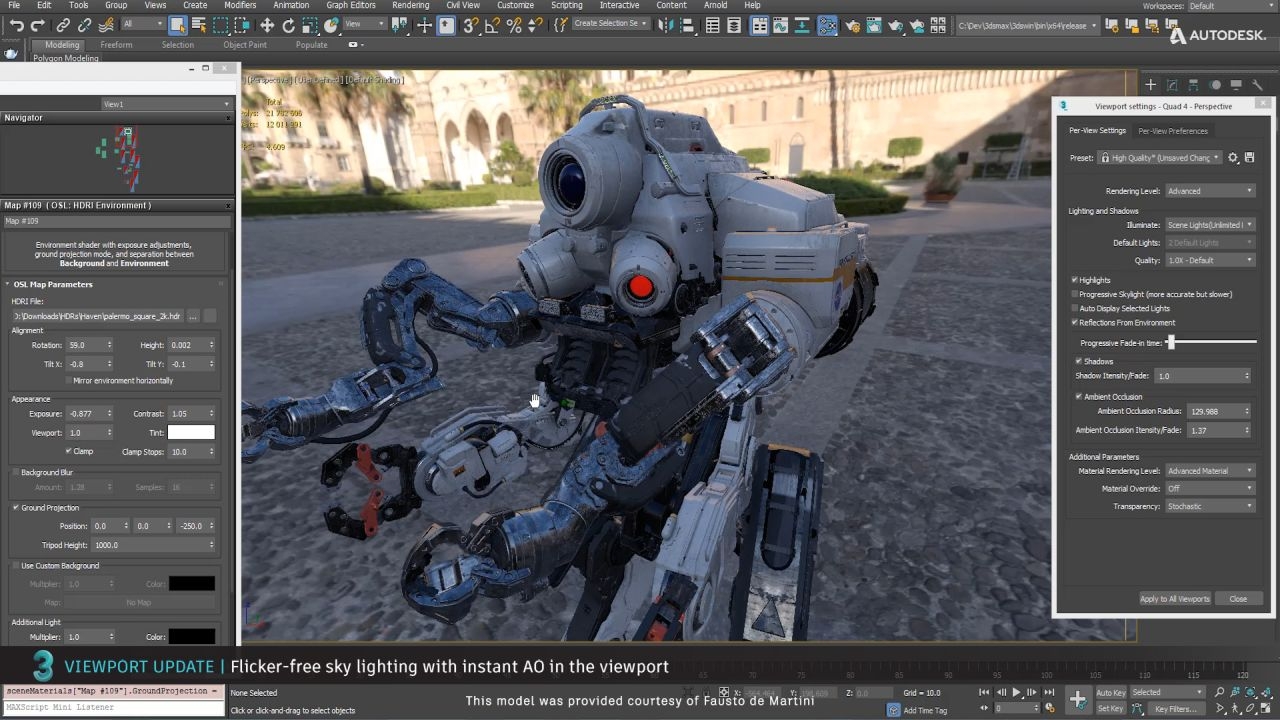
- Shading: 3ds Max uses an exclusive programming language called OSL (Open Shading Language) to adding shadow via their OSL Map tool. It’s a graphic environment to place and set up the shadows’ behaviors. You can make your own shadow maps, use prefabs, or download existing ones from the internet.
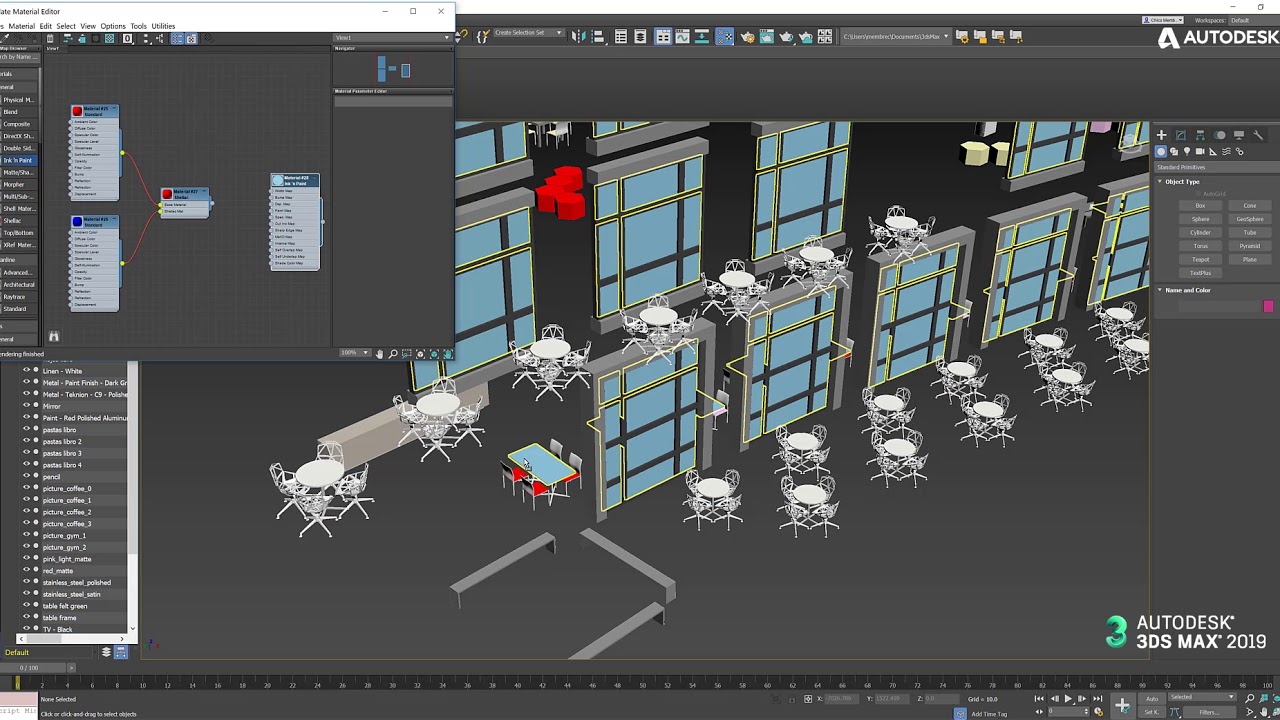
- Material editing: You can create and edit materials, as well as use default ones. A material defines how an object reflects and refracts light, so it can greatly impact the appearance of your creation.
- Animation: There are specialized tools depending on the type of animation you want to do. For example, character animation, movies and VFX, or video games. 3ds Max also uses controllers, which are tools charged with handling the interpolation of the animations and storing that information. Additionally, you can establish hierarchies of objects that, for example, make the “children” objects inherit the behaviors and parameters of the “parent” object.
- Simulation: Fluids such as water, fire, oil, lava, and even groups of objects, like balls in a ball pit, can be simulated. The software gives them physical properties like mass, speed, and direction, so that they’ll interact with other objects in the environment in a way that makes sense.
- Rendering: 3ds Max’s rendering engine is called Arnold. It uses GPU rendering, which makes it fast, but it also means you need a good computer with a graphics card. There’s a preview option to see the rendered result in a separate window, avoiding the need to reload every time. When installing 3ds Max, Arnold will be selected by default. However, you can choose to not install it and use a third-party renderer instead.

Blender
Working in Blender is greatly based on keyboard shortcuts. Learning these shortcuts will significantly improve your workflow!
- Modeling: The modeling workspace has many menus to add objects and transform them. Similar to 3ds Max, it has the scale function (hotkey ‘S’) and the extrude function (hotkey ‘E’), which lets you easily extrude faces. However, these don’t work to extrude cuts: for that you’d need to use modifiers. Adjusting objects in Blender is based on modifiers, which change an object’s geometry, merge it with another object, increase the number of elements in the mesh, and so on.
- UV unwrapping: This allows you to unwrap your object’s mesh into a plane so you can create textures specific to the model and ensure an adequate fit.
- Sculpting: Sculpting is a method of modeling that digitally replicates the traditional method of modeling with clay. Blender has its own sculpting workspace with 20 brushes capable of doing different operations to the object, such as pinching, flattening, and pushing.
- Animation: Blender has a separate workspace for Animation. Here, you can convert static models into movable, animated objects through rigging. It has character animation as well as independent animation for the scene as a whole. Camera tracking can also be applied to your current animation or even existing ones, where you can change the camera’s path.
- Rendering: Blender has two rendering engines: Cycles and Eevee. These use GPU rendering for maximum efficiency.
Use Cases & Applications
3ds Max is widely used in professional, industry settings and there are many cases where it’s been used for large-scale projects, for example, in developing the very realistic-looking Game of Thrones videogame. It can also be seen in the VFX of videos, including trailers, shorts, and even full-length movies. Check out 3ds Max in action in the CGI from the “Ford vs Audi” short, as well as animated shorts like this cool ball slicing animation.
Blender is used by many hobbyists for different applications including modeling and animated shorts because it’s free and has extensive capabilities. Additionally, Blender is often used to model figurines that will be later 3D printed. People use it to simulate things such as fire, water, smoke, and lightning, and even how clothing moves on figures. It’s also possible to model characters like this cool Lapras or create animated shorts like Agent 327 Operation Barbershop.
| The basis of Comparison | Blender | Autodesk 3ds MAX |
| Overview | An open-source tool for 3D creation and a complete suit for professional artists, small teams and enables them to build arts, visual effects, animated movies, 3D printed models, video games, and 3D applications | A 3D modeling, rendering software for animation and game designing, game development, designing a visualization, thereby providing its users with the choice of creating and editing animations, environment, and visual effects |
| Price | Free | $185 |
| Client Experience | 98% | 98% |
| Features | Production Path Tracer Rendering GPU Rendering Animation Toolset Game Creation Visual Effects Fast rigging Masking Camera Motion Tracking Object Motion tracking Compositing Video editing Modeling Simulation It can be integrated with pipelined tools Customizable User Interface | 3D animation and dynamics Character Animation tools Rigging tools Particle flow effects Motion Paths 3ds max fluids Simulation data import Graph creation controllers Voxel and Heatmap skinning Active Shade rendering 3D rendering Arnold Raytracer Renderer Workflow, UI, and pipeline Asset library Scene converter Customizable workspaces Asset Packaging Spline Workflows MAX to LMV Mesh and surface modeling Hair- fur and data channel modifier Texture assignment Blended box map |
| Customer types | Freelancers, small to medium enterprises | Small, medium, large enterprises, and freelancers |
| Languages it supports | English | English, German, Chinese, Indian, Japanese, Spanish, French, Russian, Italian, Dutch, Polish, Portuguese, Swedish, Turkish |
| OS supported | Mac, Windows, Linux, Web-based | Windows, Mac, web-based |
| Pricing type | Free, Monthly payment and annual subscription | Monthly payment and annual subscription |
| Support Types | Live support, support ticket, training | Live Support, Phone, Training, Ticket |
| Support email address | cloudsupport@blender.org | Customercare.abc@autodesk.com |
| Client division | Division LLC, Fusion VFX academy, Dwarf Animation Studio | Tata interactive systems, Riva animation, VFX, and Digital Art Pvt. Ltd. |
| Alternatives to this tool | Adobe Illustrator CC Inkscape Autodesk SketchBook Fatpaint Snappa | Inkscape DrawPad SVG-edit Fotor PaintTool |
lovely article, thanks for this writeup
nice article
wonderful article
great