
by Bashiru Adeitan | Nov 21, 2016 | Articles and Short Tutorials, Microsoft Project Tutorials and Articles
Good Morning. How was your night? Today, I want to continue with the teaching on how to create a task list and work breakdown structure using Microsoft Project. In our last lesson, we talked about how to create task list and organising it. Hope you still...
by Bashiru Adeitan | Nov 21, 2016 | Articles and Short Tutorials, Microsoft Project Tutorials and Articles
HOW TO CREATE A TASK LIST AND WORK BREAKDOWN STRUCTURE USING MICROSOFT PROJECT (PART ONE) Good Morning. How was your night? Today, I want to teach you how to create task list and work breakdown structure on MS Project. Task is the assignment allocated to each...

by Bashiru Adeitan | Nov 18, 2016 | Articles and Short Tutorials, Microsoft Picture Manager Articles
Good Morning. How was your night? I want to teach you how to assign a project calendar using MS project. The essence of assigning this is to create a calendar that will suit your immediate want while using MS Project. For project to correctly determine a schedule,...
by Bashiru Adeitan | Nov 18, 2016 | Articles and Short Tutorials, Microsoft Picture Manager Articles
For project to correctly determine a schedule, working and non-working times should be included. Project has three default base calendars – Standard (traditional), 24 Hours and Night Shift. Each base calendar can be customized to meet your needs. To create a...

by Bashiru Adeitan | Nov 18, 2016 | Articles and Short Tutorials
Good Morning. How was your night? Hope you are doing fine. Today, I want to teach you how to document and print your database design. At times, you may decide to have an hard copy of what you have entered into your computer and this cannot be done except you...
by Bashiru Adeitan | Nov 18, 2016 | Articles and Short Tutorials
Good Morning. How was your night? You are welcome to another series on How to add, remove or modify a trusted location for your files using MS Access. I quick recap as to what we did in the second series. We spoke about how to remove a trusted location from your files...
by Bashiru Adeitan | Nov 15, 2016 | Articles and Short Tutorials, Microsoft Excel Articles
Good Afternoon. Today, I will like to expose you to the commonly used tasks in MS Excel. –New Click File/New (or Ctrl N) Choose type of workbook (default is blank) then click Create –Save Click the Save button in the Quick Access Toolbar (above the...

by Bashiru Adeitan | Nov 15, 2016 | Articles and Short Tutorials, Microsoft Excel Articles
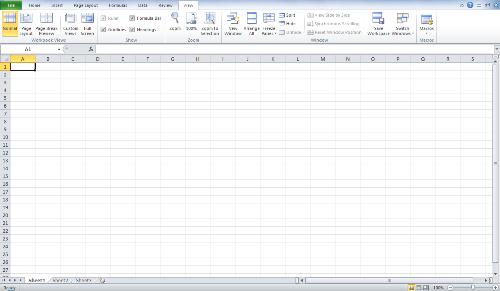
Good Afternoon. How has been your day? Today, I will like to teach you how to freeze rows or columns on MS Excel. What do I mean by the word freeze? Freeze means to make something or someone stops functioning (not moving, working, walking). For instance: If an...

by Bashiru Adeitan | Nov 15, 2016 | Articles and Short Tutorials
Good Morning. How was your night? I will like to continue with our series as to this topic. A quick recap of what we did in series one: We defined what a trusted location which we said is a folder on your hard disk or a network folder. Any file that you put in a...
by Bashiru Adeitan | Nov 15, 2016 | Articles and Short Tutorials
Good Morning. How was your night? Today, I want to start a serial teaching on how to add, remove or modify a trusted location for your files on MS Access. What is a trusted location? A trusted location is a folder on your hard disk or a network folder. Any file...
